SoftBiller has launched a new Restaurant POS Software for Windows. It is built for restaurants, cafés, fast food outlets and takeaways in Pakistan that want quick billing at the counter, separate tokens for the kitchen, and a clear picture of daily sales and stock.
Here is a walk-through of what it does, with real screenshots.
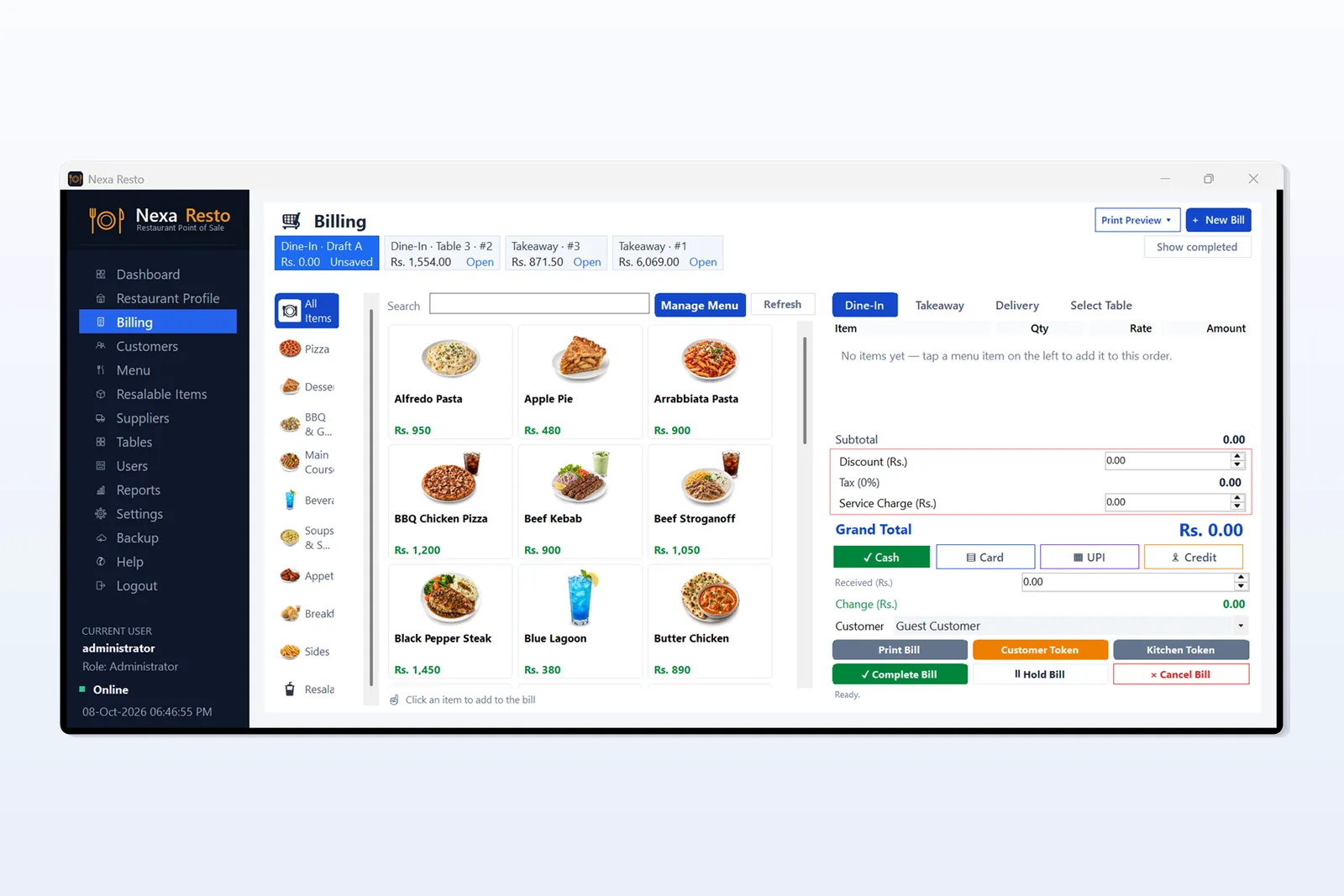
1. Billing from a visual menu
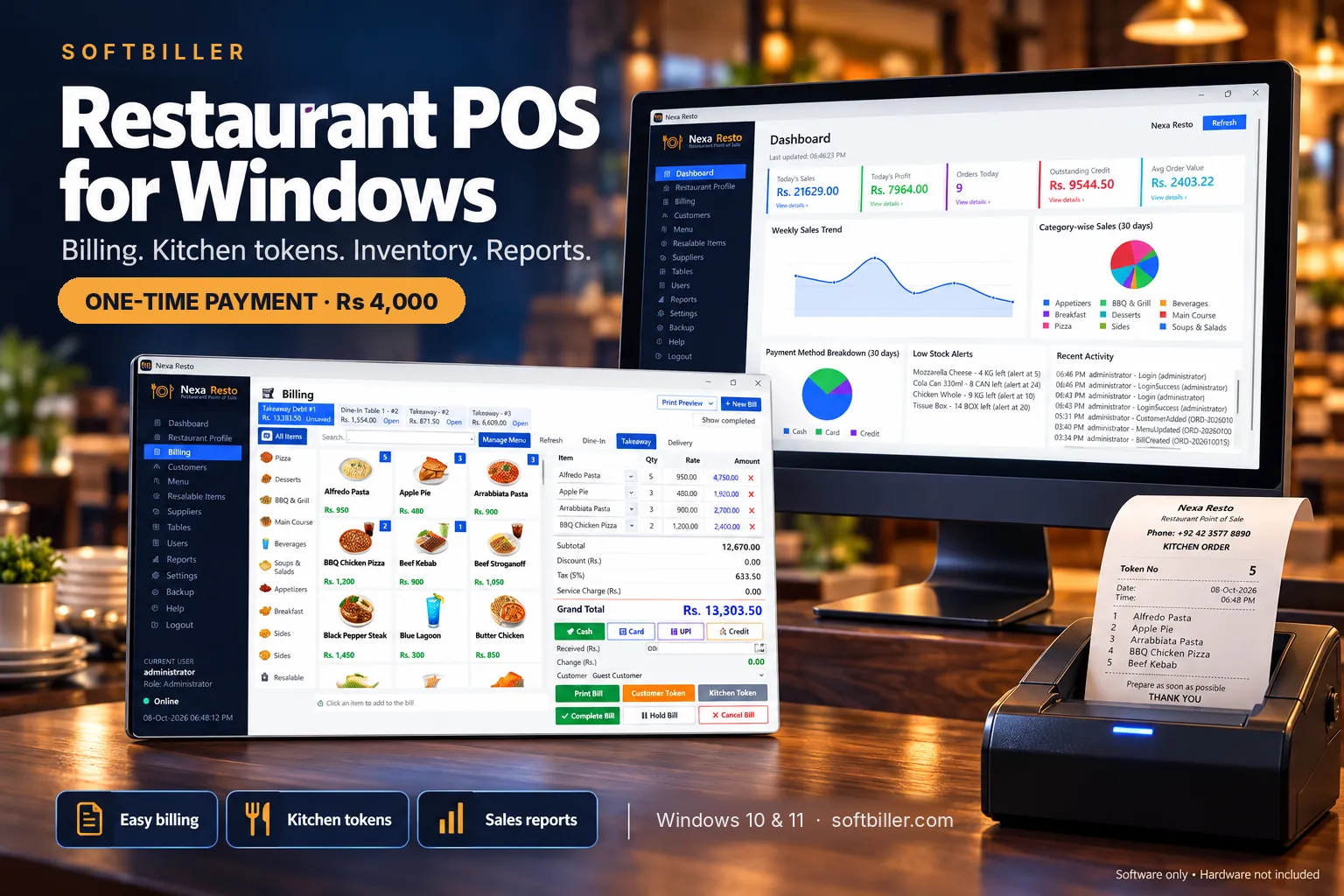
The billing screen shows your menu as picture cards. The cashier picks a category or searches, taps items to add them to the bill and adjusts quantities. Each bill can be Dine-In, Takeaway or Delivery, and several bills can stay open at once, so a table’s order waits while the counter keeps billing takeaway customers.
- Discount, tax and service charge (percentage or flat)
- Cash, Card and Credit payments, with received amount and change
- Hold Bill, Complete Bill and Cancel Bill
2. Bill, customer token and kitchen token
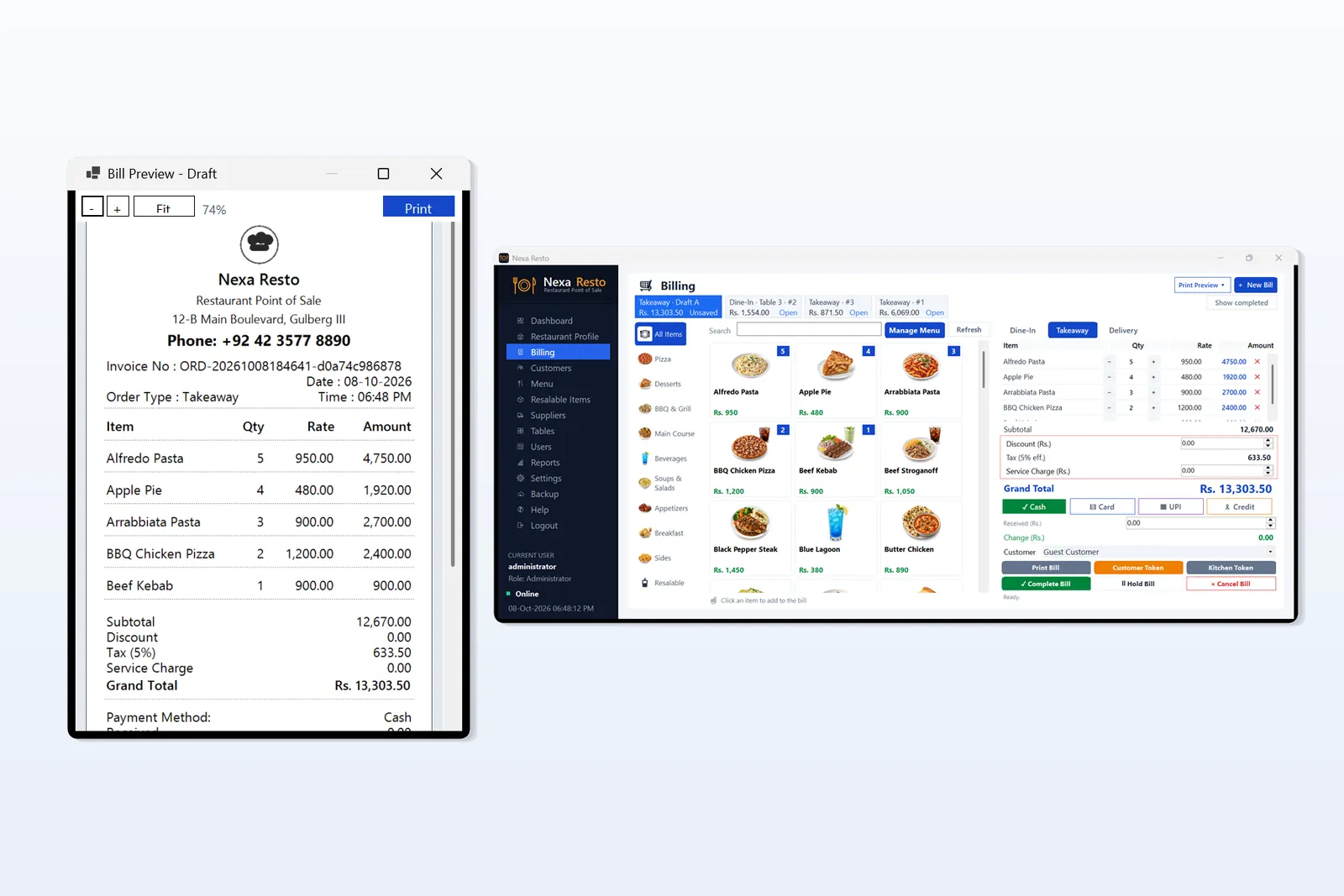
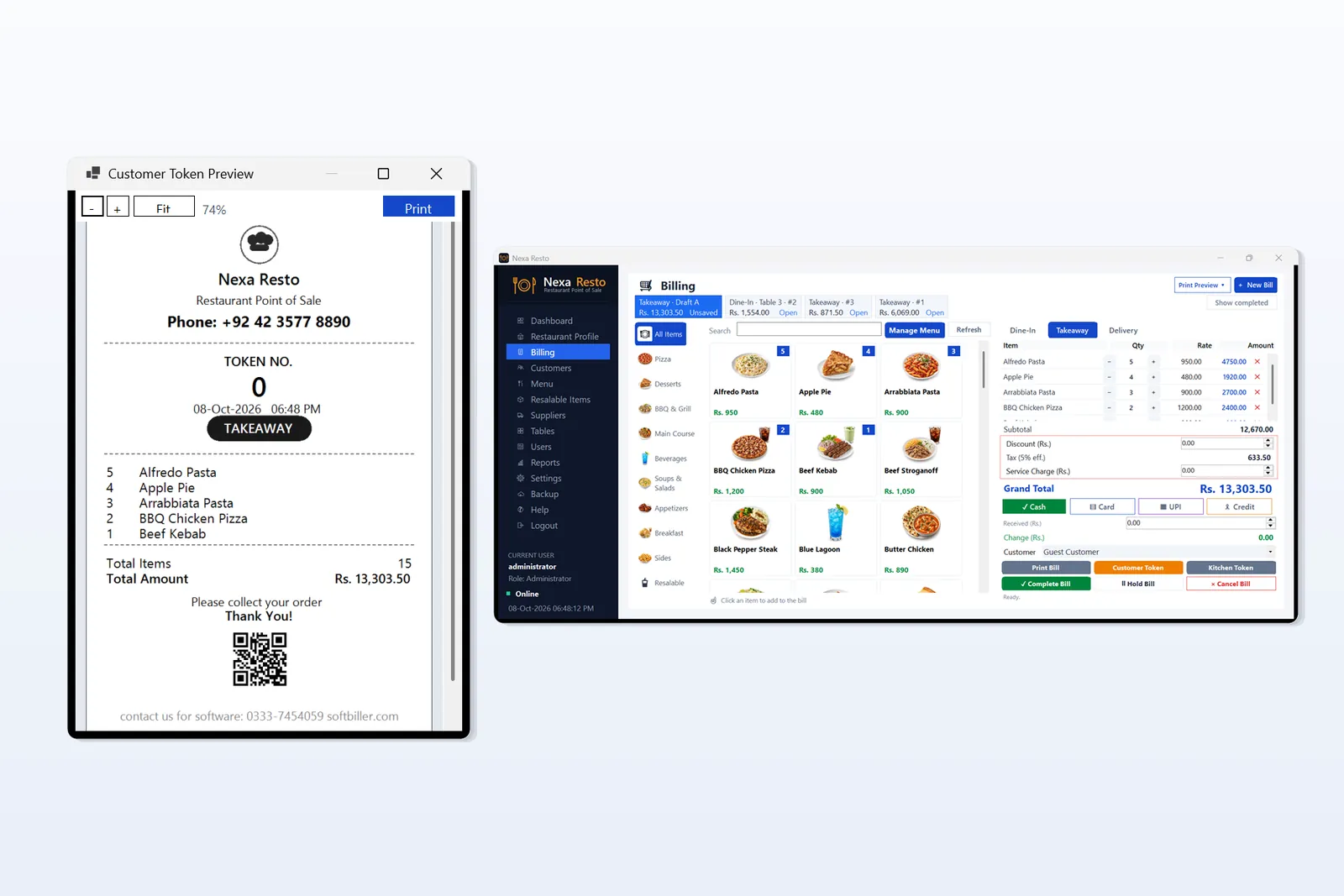
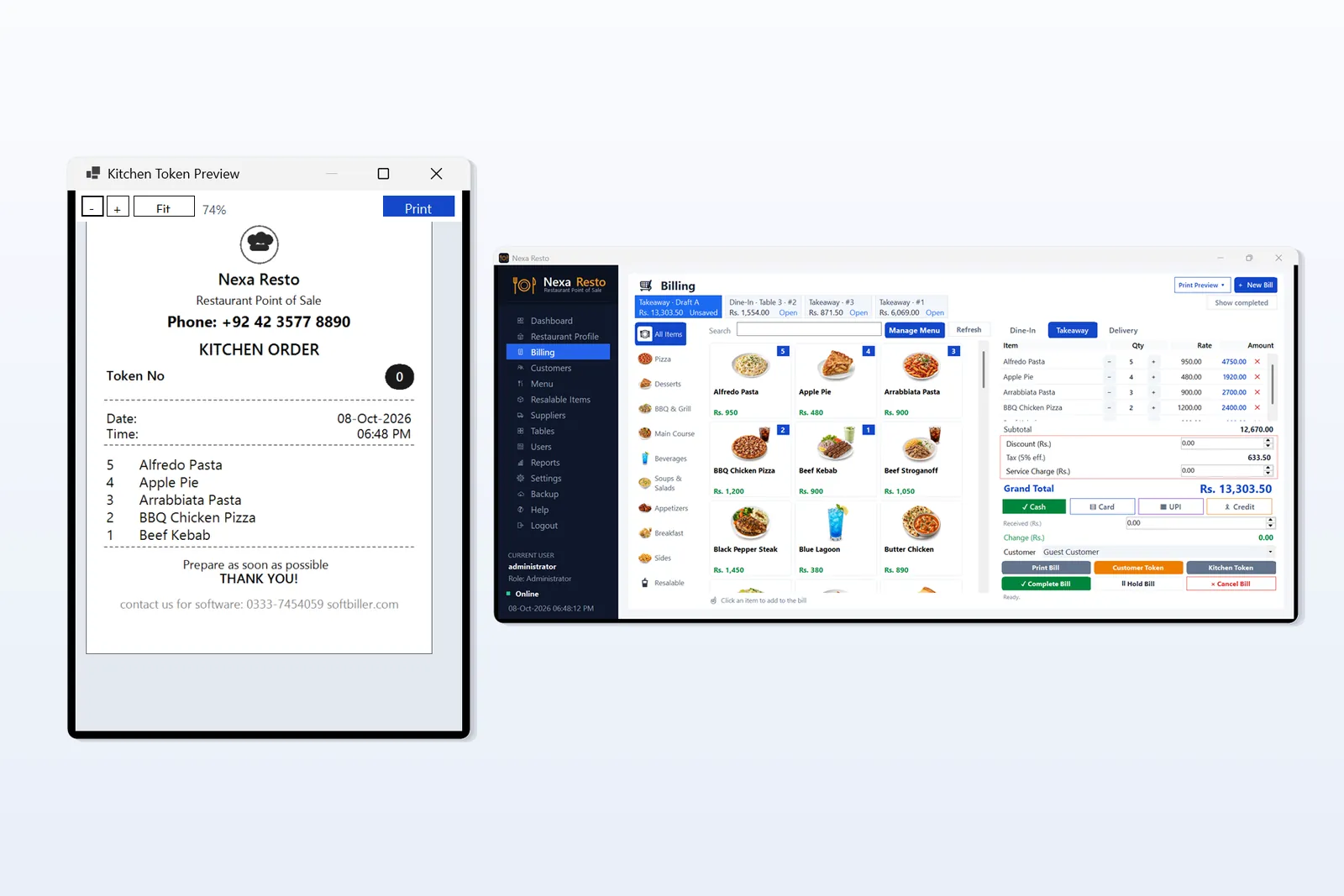
When an order is placed, the software prepares three documents: the customer bill, a customer token with the token number for collection, and a separate kitchen token listing the items to prepare. Each can be previewed before printing, and your restaurant’s name, address and phone appear on them.
3. Dashboard and reports
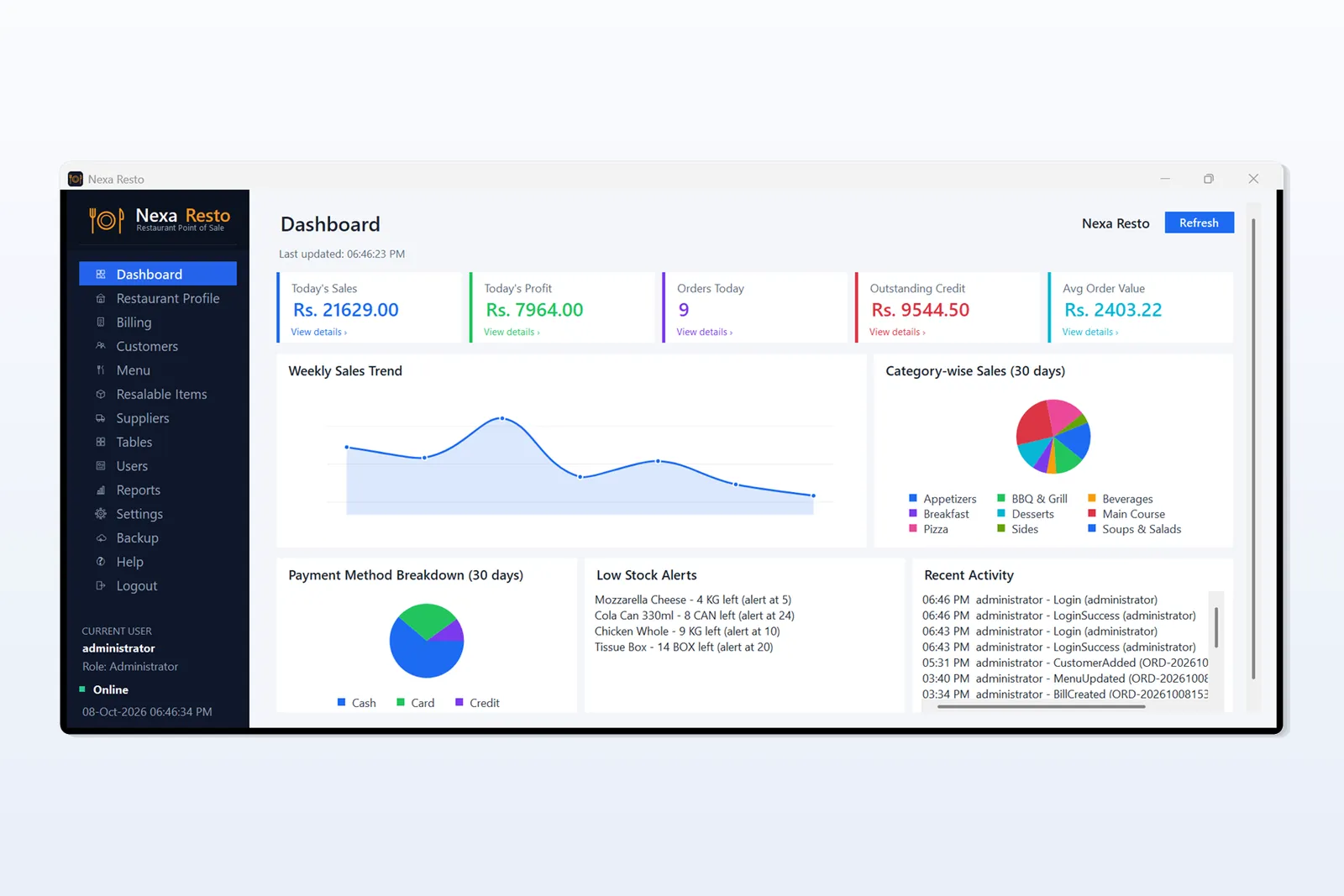
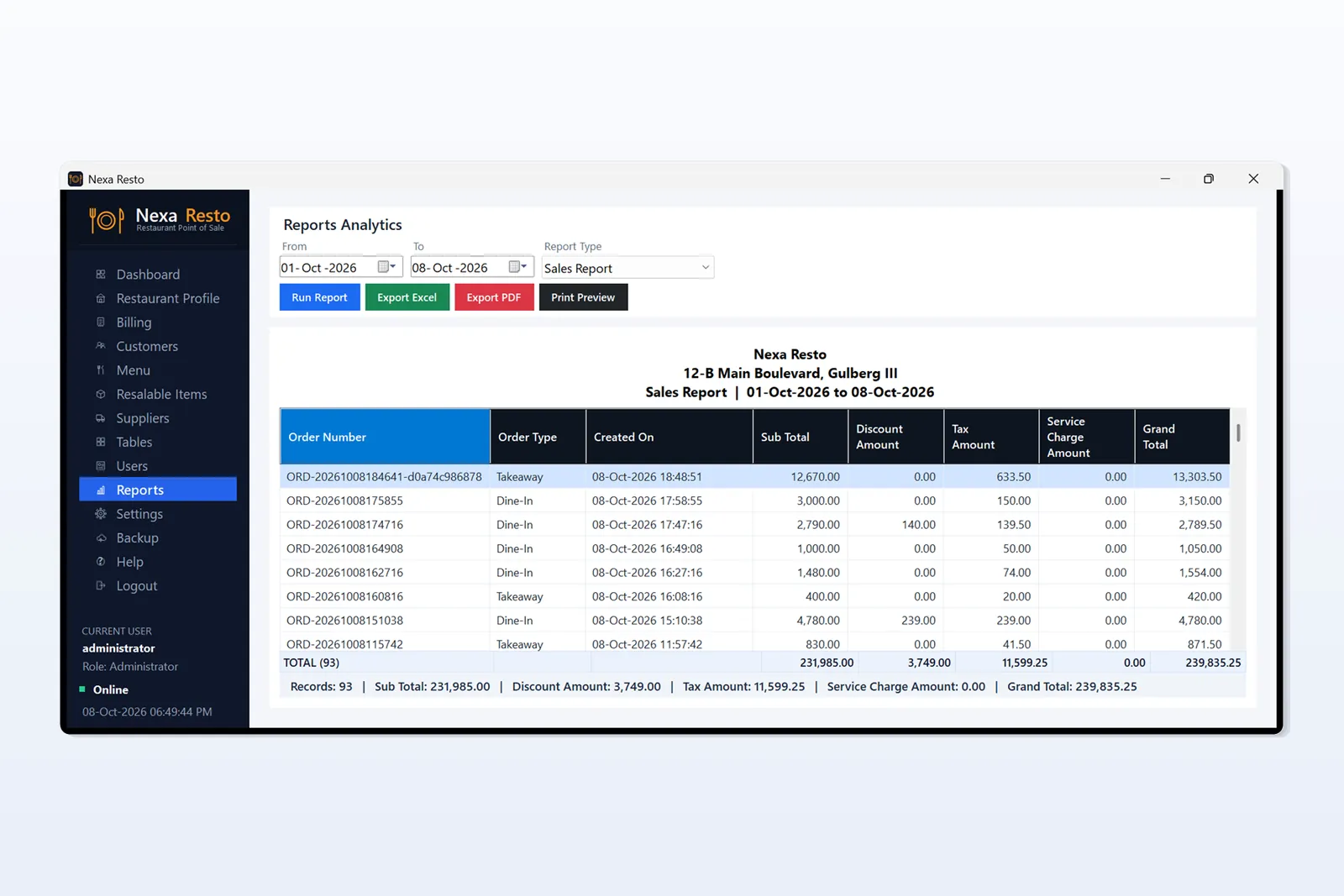
The dashboard shows today’s sales, profit, orders and average order value, along with the weekly sales trend, category-wise sales, payment breakdown, outstanding credit and low-stock alerts. The reports screen lets you pick a date range and export to Excel or PDF.
4. Menu, customers and stock
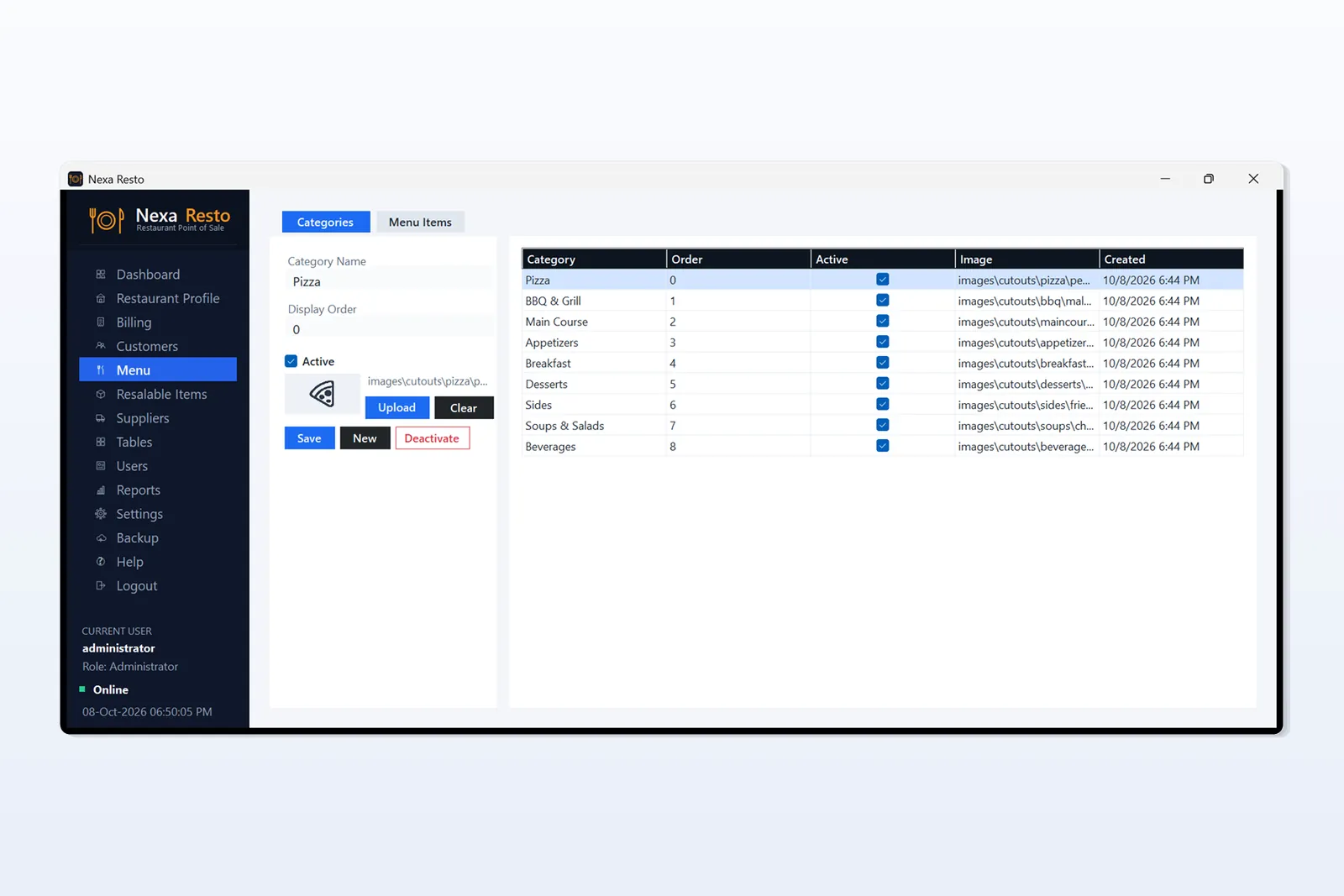
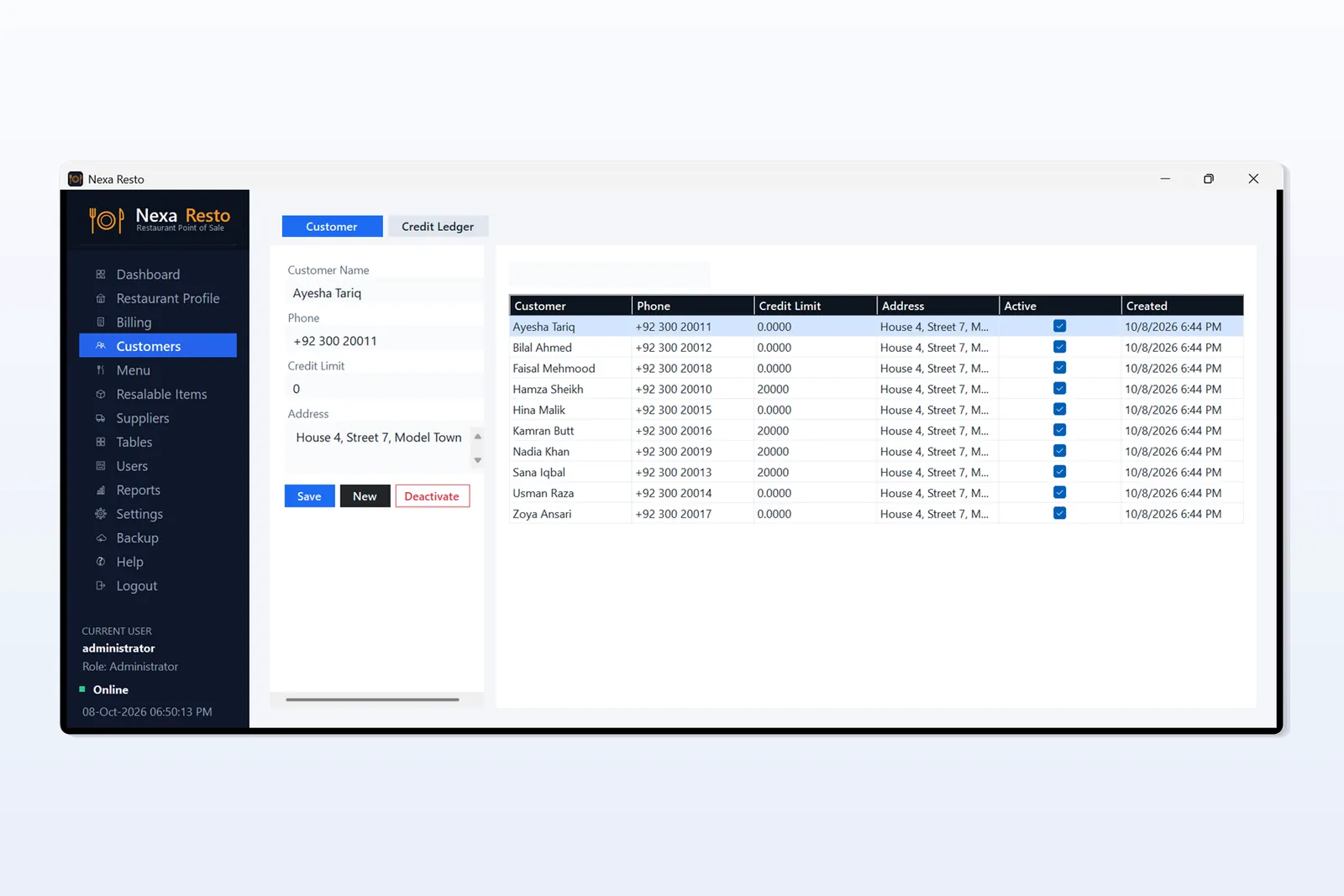
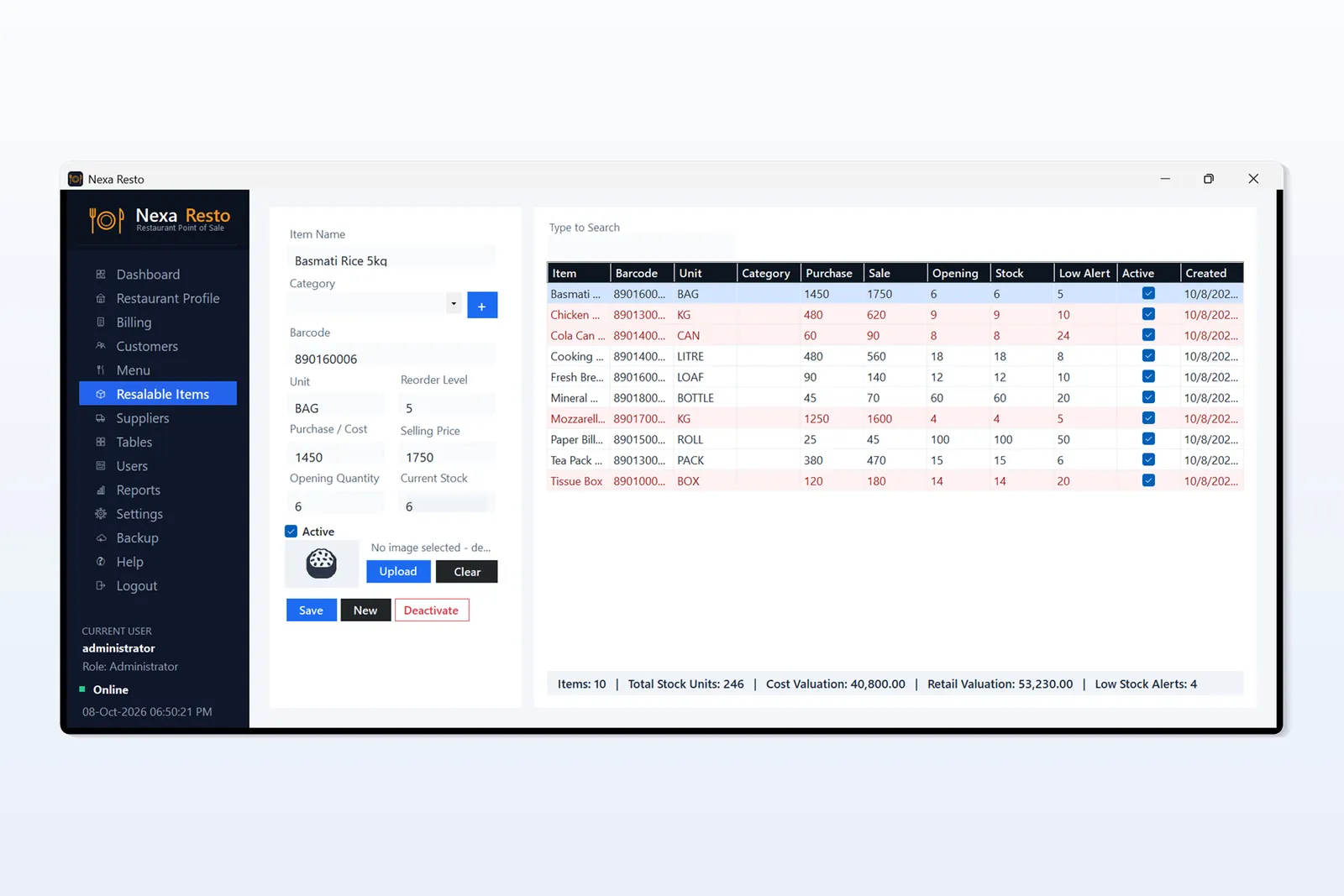
Manage menu categories and items with pictures, keep customer records with outstanding balances, and track resalable items such as drinks and packaged goods with barcode, purchase and sale price, current stock and low-stock alerts.
5. Settings, users and backup
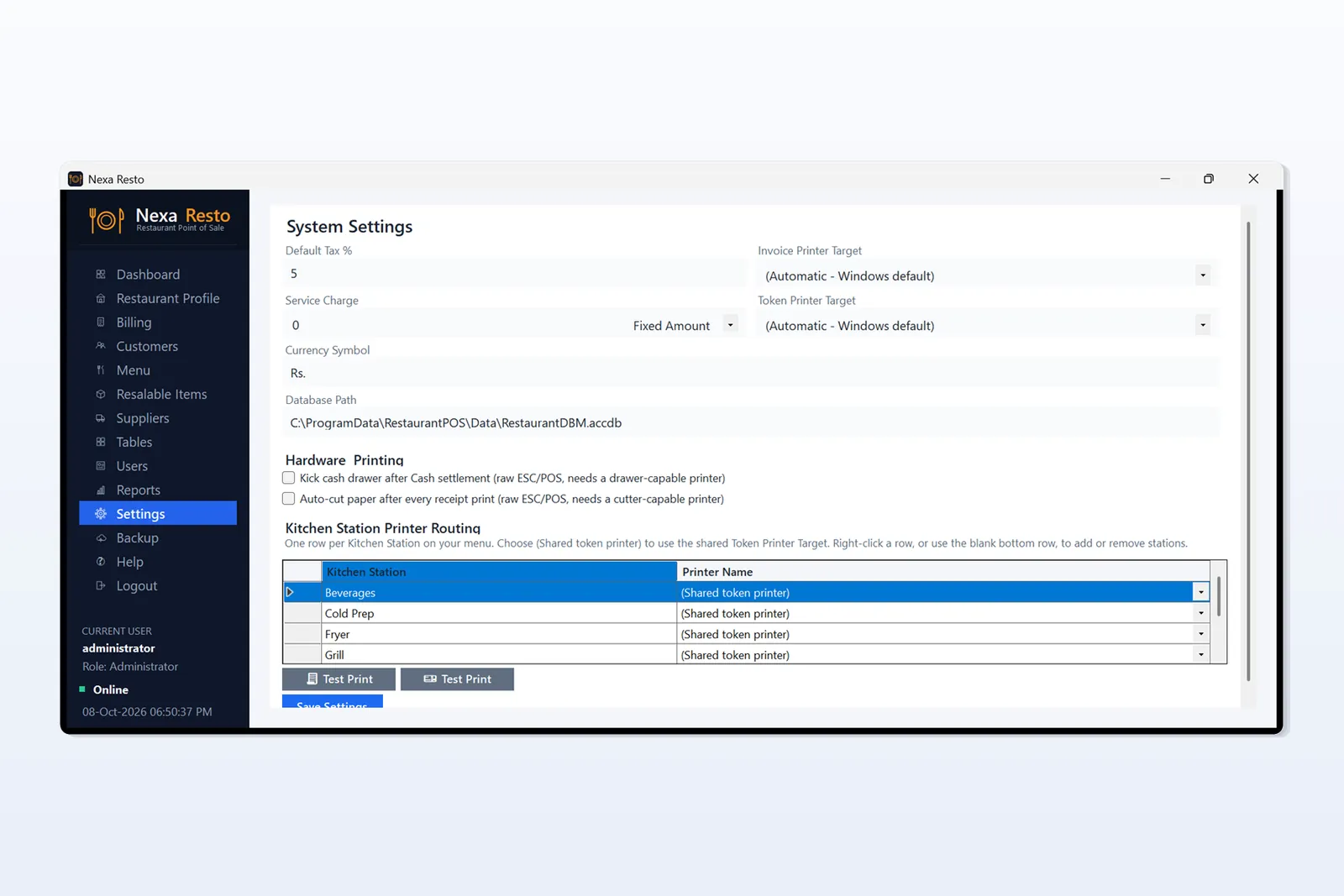
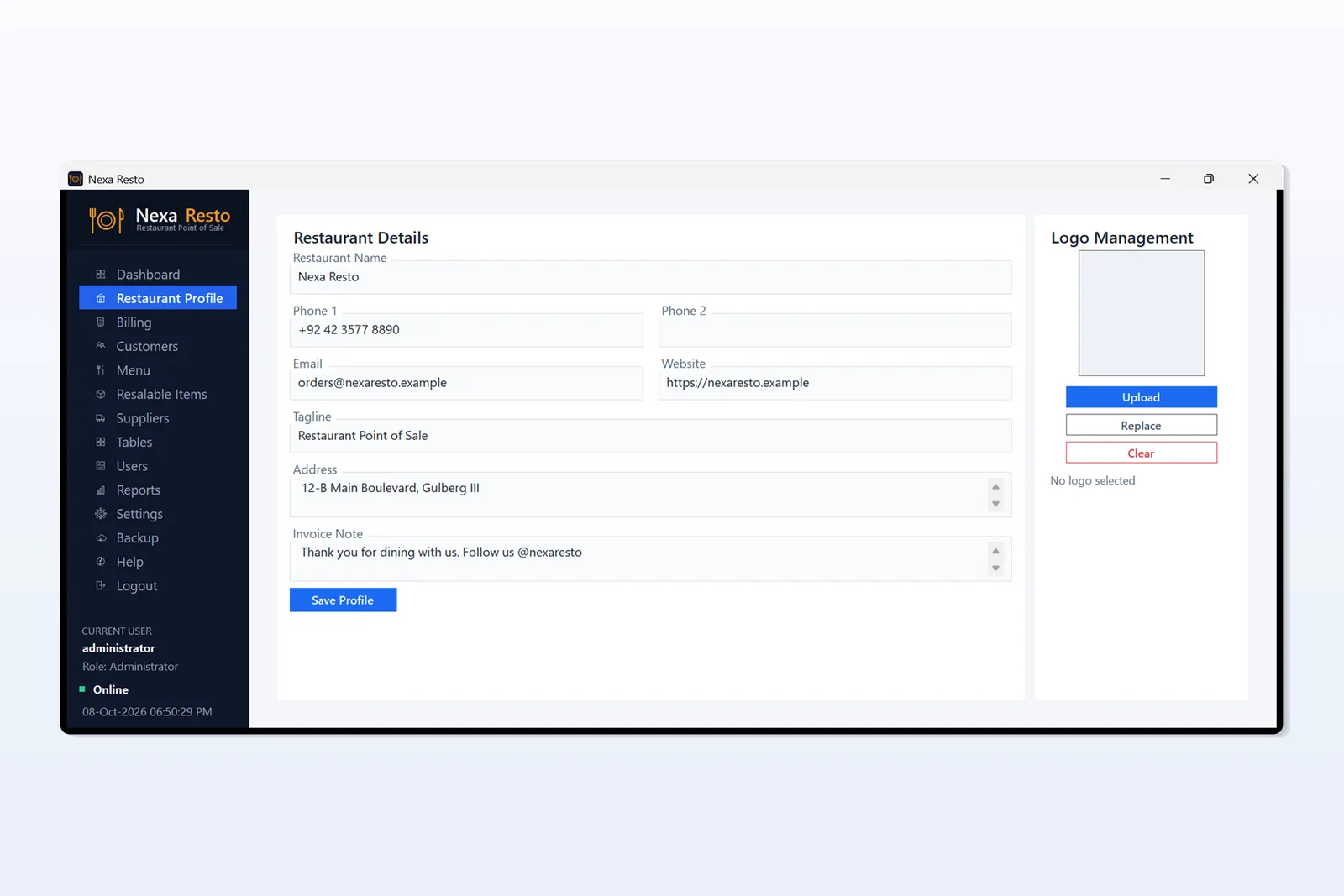
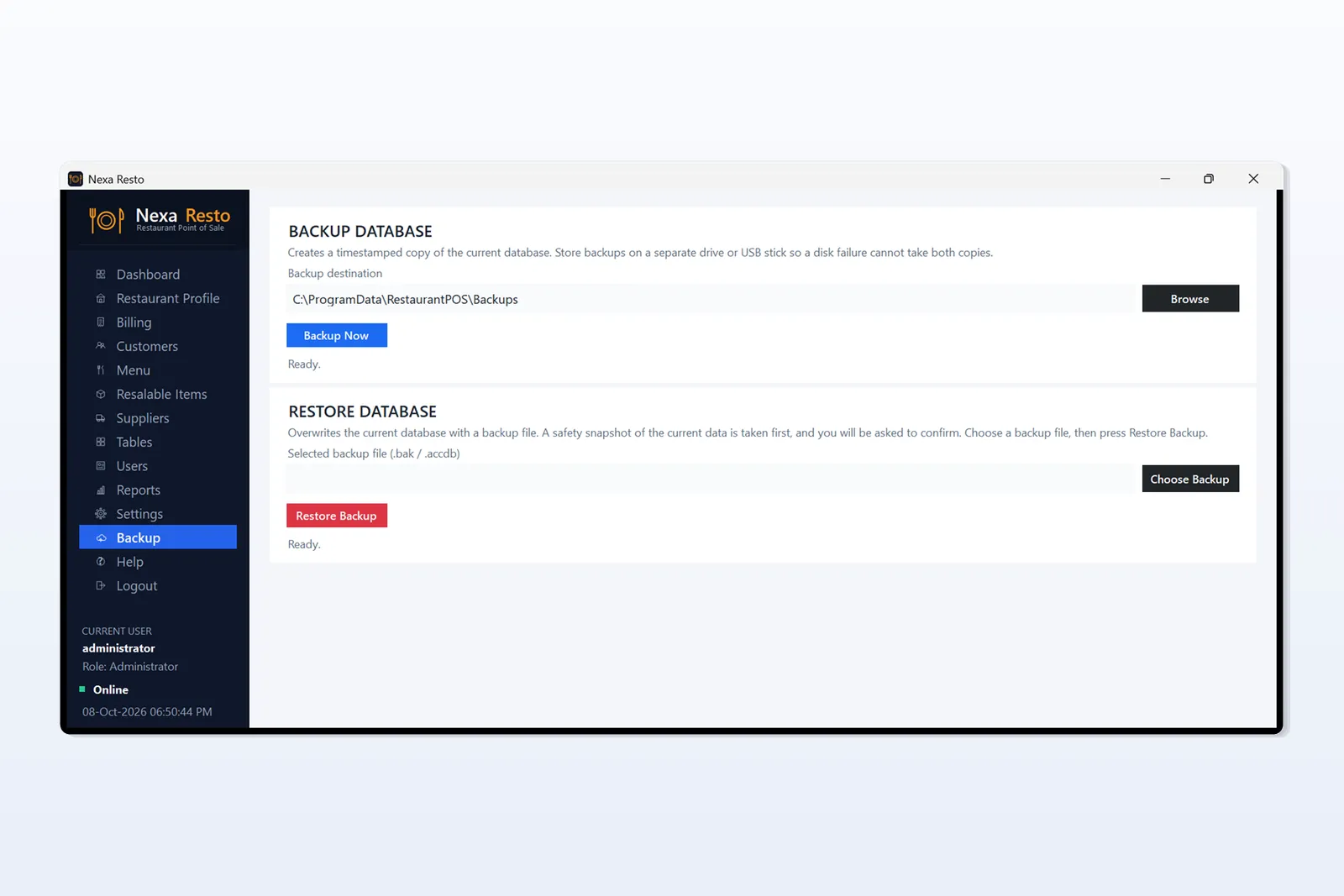
Set your currency, tax and service charge, enter your restaurant profile, give each staff member their own login and role, and take backups with one click.
System requirements
- Windows 10 or Windows 11
- Install on a desktop PC, laptop or Windows tablet
- Not available for mobile phones, Android tablets or iPad
- Works offline after installation, with data saved on your own computer
Price
The Restaurant POS Software costs Rs 4,000, one-time payment, with no monthly fee.
Buy Restaurant POS Software – Rs 4,000
Want a live demo or have a question? Message us on WhatsApp at 0333-7454059.