School Management Software in Pakistan
SoftBiller’s school management software handles student registration, attendance, exam results, result cards and fee recovery for schools, academies and colleges, along with expenses and a profit and loss report.
Full version for lifetime use, with backup option.
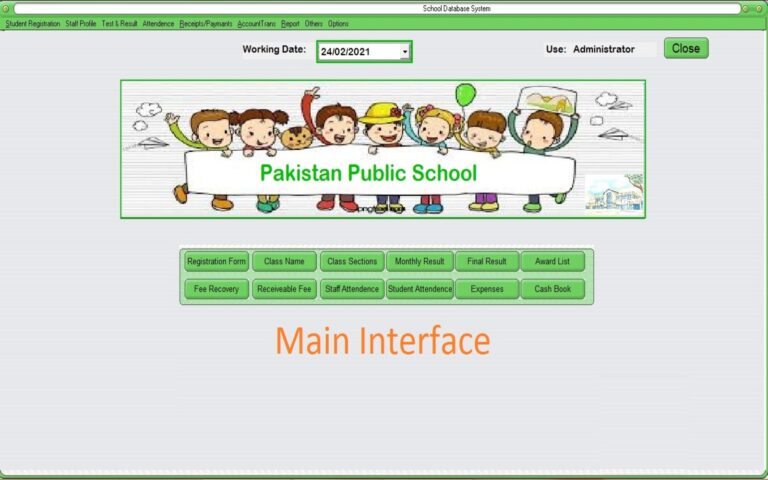
Run your school office from one screen
Keeping registers for attendance, marks and fee by hand takes hours every month. This software keeps it all in one place: register students class and section wise, mark daily attendance, enter monthly test and annual exam marks, print result cards and award lists, and collect fee with printed fee slips. Fee receivable reports show exactly who still owes fee, class by class and month by month.
Students & classes
- Class and class section creation
- Student registration
- Promote students to the next class after exams
Exams & results
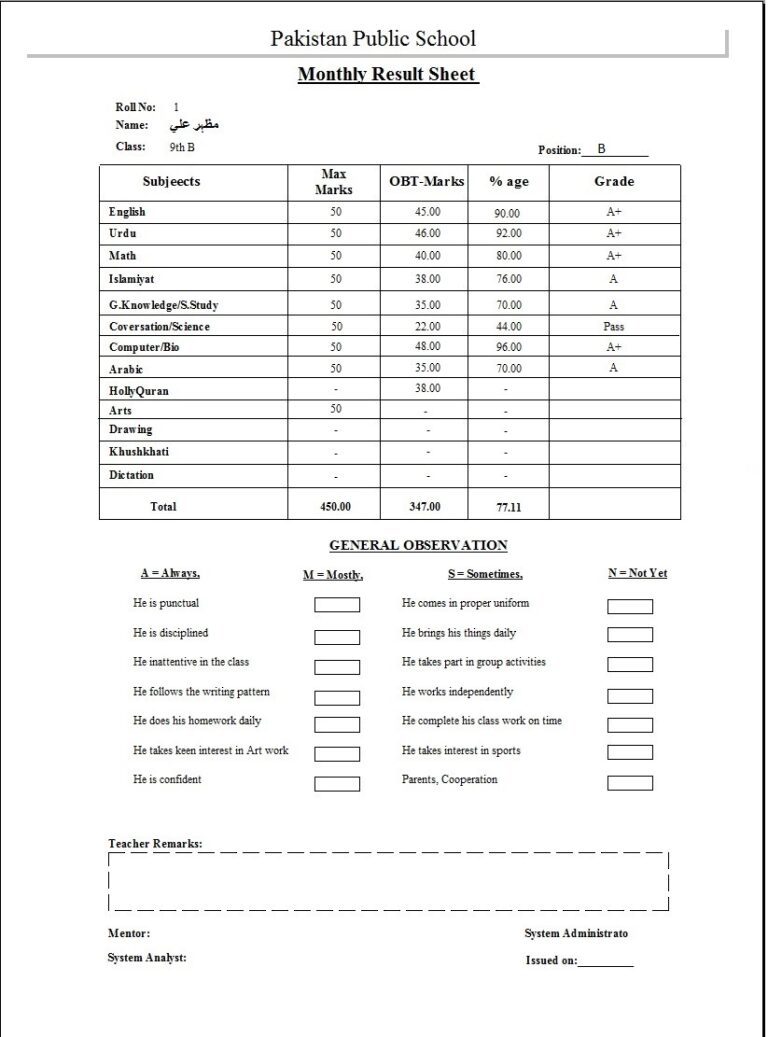
- Monthly test and annual exam result management
- Individual student result card print
- Award list print for monthly and annual results
Attendance
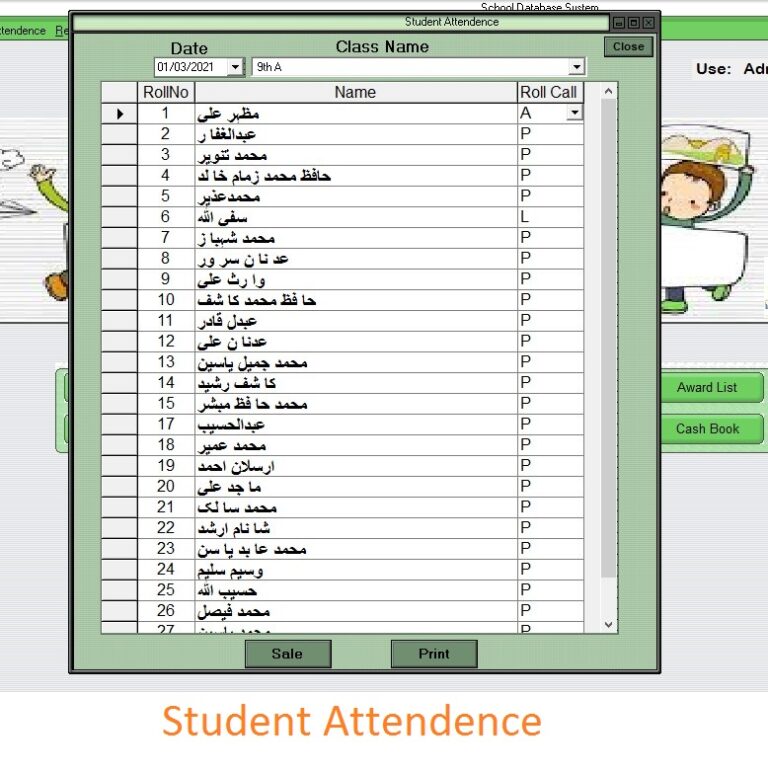
- Student and staff attendance marking
- Automatic attendance register for staff and students, with print option
Fee management
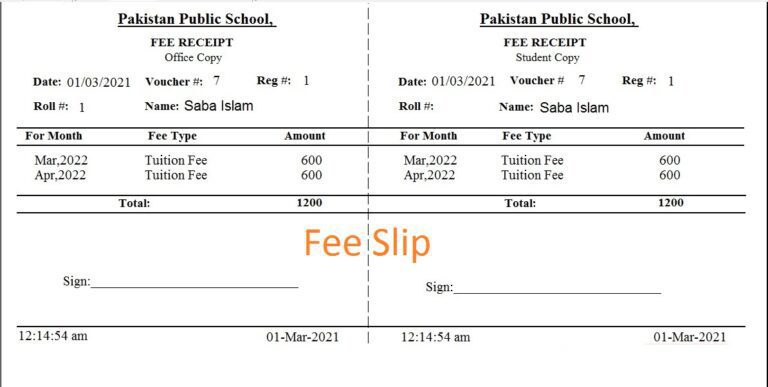
- Fee recovery with fee slip print (student copy and office copy)
- Class-wise fee receivable report
- All students fee receivable report
- Individual student month-wise fee receivable report
School office
- School expense report
- Automatic profit and loss report
- School equipment list
- Library books list
Users & backup
- User management with user privileges
- Change password option
- Backup and restore
Watch the overview video
Price
Rs 4,500 Rs 3,500
Full version for lifetime use, with backup option.
Digital delivery within 1 hour by email or WhatsApp.
Frequently asked questions
Can I print result cards?
Yes. You can print an individual result card for each student, and award lists for monthly and annual results.
Does it print fee slips?
Yes. Fee recovery comes with a printed fee slip that has a student copy and an office copy.
How do I see which students have not paid fee?
Use the class-wise fee receivable report, the all students fee receivable report, or the individual student month-wise fee receivable report.
Can it mark staff attendance too?
Yes. It marks both student and staff attendance and keeps an automatic attendance register you can print.
What happens at the end of the year?
After exams you can promote students to the next class.
Is it a full version?
Yes. It is a full version for lifetime use, with a backup and restore option.
How will I receive the software?
It is delivered digitally within 1 hour, by email or on WhatsApp.