Running a restaurant, café, fast food point or dhaba in Pakistan means handling dozens of bills a day, often in a rush. When billing is done by hand, small mistakes add up: a missed item on the bill, a table that left without paying, cash that does not match at closing, and no clear idea of which dishes actually make money.
Restaurant billing software brings order to this. This guide explains what a restaurant should look for in billing software and how to use it day to day.

Problems billing software solves
- Slow billing during rush hours, and customers waiting at the counter
- Wrong totals or items missed on handwritten bills
- Confusion over which table has ordered what
- Regular customers who pay later, with balances kept in a diary
- No daily sale or profit figure until the accounts are done by hand
1. Separate take away and dine-in
Most restaurants serve both take away and dine-in customers. Your software should handle both: a quick take away bill at the counter, and table-wise billing for customers who sit down, so each table’s order stays separate until it is paid.

2. Set up your menu in groups
A well organised menu makes billing fast. Group items such as starters, main course, BBQ, drinks and desserts, so the cashier can find any dish in a couple of clicks. Keep prices updated in the software, not on paper.

3. Fast, clear bills
The billing screen should let you add items and quantities quickly and print the bill straight away. Most restaurants use a thermal printer at the counter; some also want a laser printout. Make sure the software supports the printer you use.


4. Credit customers
Offices, shops and regular customers often eat now and pay at the end of the week or month. Billing these customers in the software, instead of a diary, keeps their balance accurate and makes collecting easier.
5. Daily sale, expenses and profit
At closing, you should be able to check the day’s sales and expenses, and see profit over any period. Recording daily expenses (vegetables, gas, staff, rent) in the same software gives a true picture of how the restaurant is doing.

6. Staff logins
If more than one person handles the counter, give each one a login with only the permissions they need. This protects your data and shows who made each bill.
7. Backups
Take regular backups of your data, especially before reinstalling Windows or changing computers.
SoftBiller Restaurant Billing Software
SoftBiller’s Restaurant Billing Software is made for restaurants, cafés and fast food businesses. Based on its product features, it includes:
- Take away and table-wise billing
- Bills for credit customers
- Thermal and laser bill printing
- Group-wise menu / recipe list
- Daily sale report, expense report and profit report
- Cash book and a complete double-entry account system
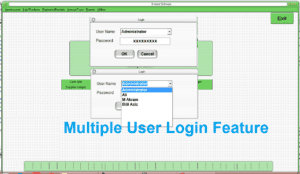
- Multi-user login, password change and user privileges
- Backup and restore
- Runs on all versions of Microsoft Windows
- One-time payment with no monthly or annual fee
Getting started
- Enter your menu items in groups, with prices.
- Set up your tables.
- Add your regular credit customers.
- Bill every order through the software, take away and dine-in.
- Record daily expenses and check the daily sale report at closing.
Want to see it in action? Visit the Restaurant Software page for screenshots and the overview video, or message us on WhatsApp at 0333-7454059.