Restaurant POS Software for Windows – Billing, Kitchen Tokens, Stock & Reports
₨ 4,000
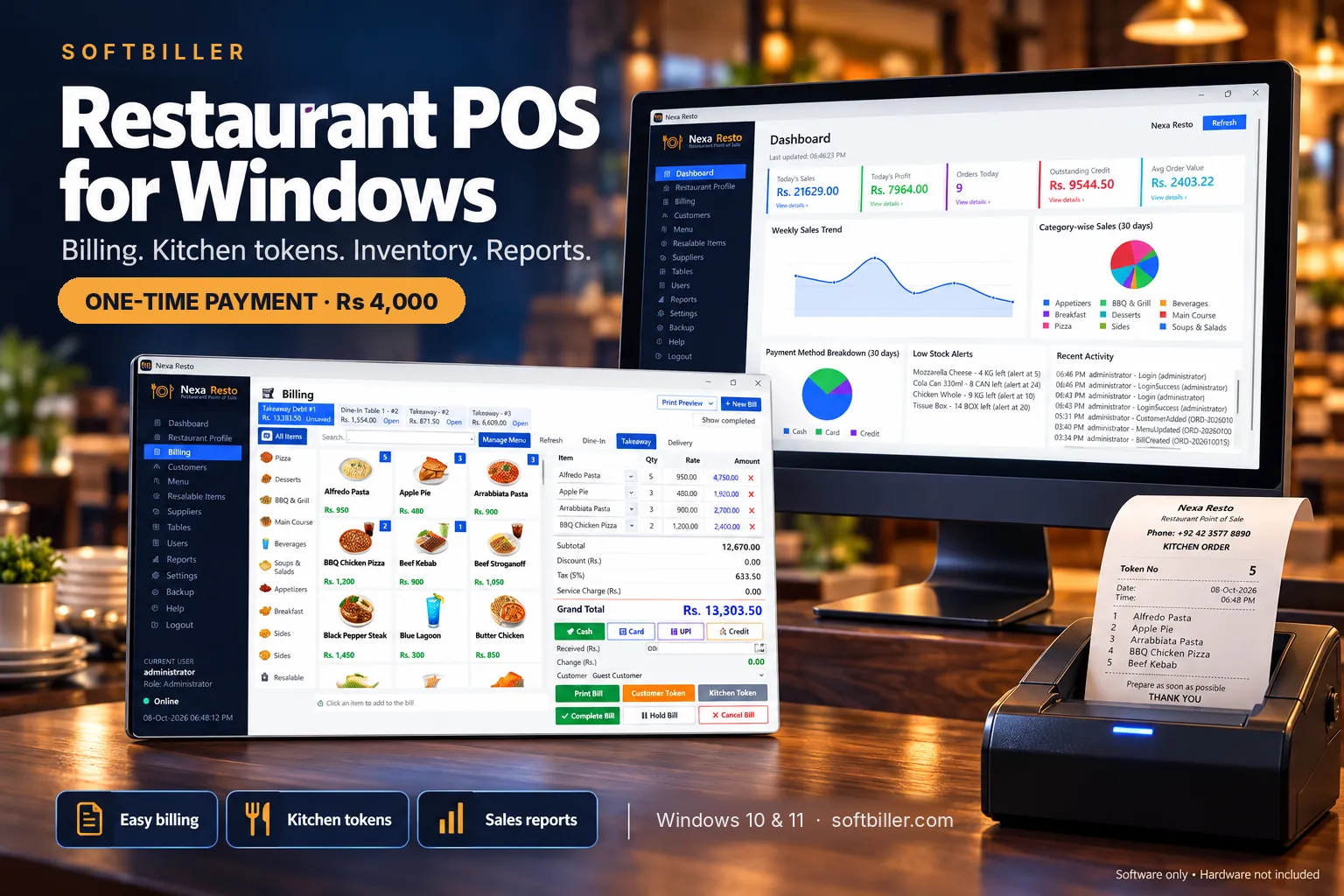
Modern Restaurant POS software for Windows for restaurants, cafés, fast food and takeaways.
- Dine-In, Takeaway and Delivery billing from a visual picture menu
- Customer bill, customer token and kitchen token
- Discount, tax and service charge; Cash, Card and Credit payments
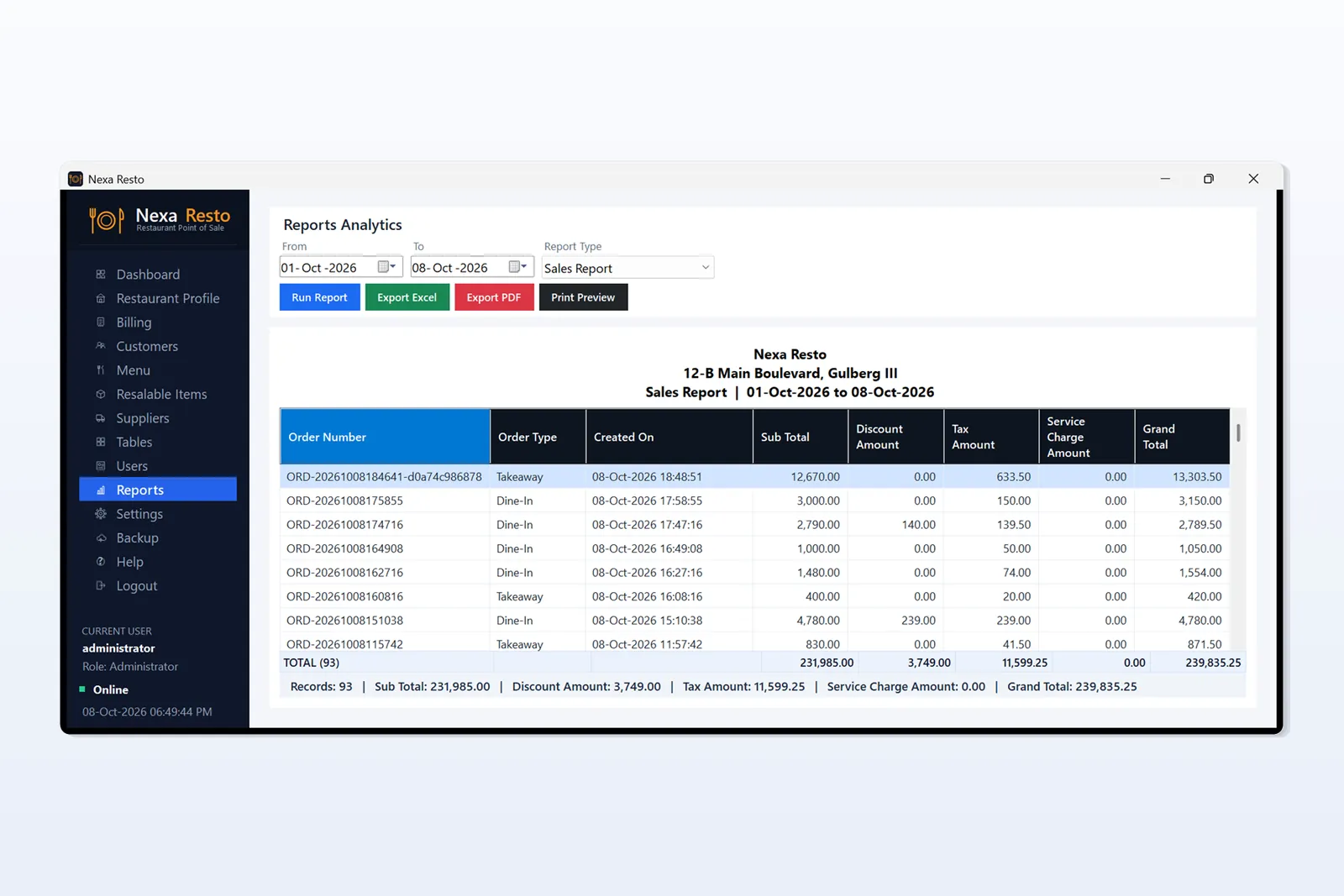
- Dashboard, sales reports with Excel/PDF export
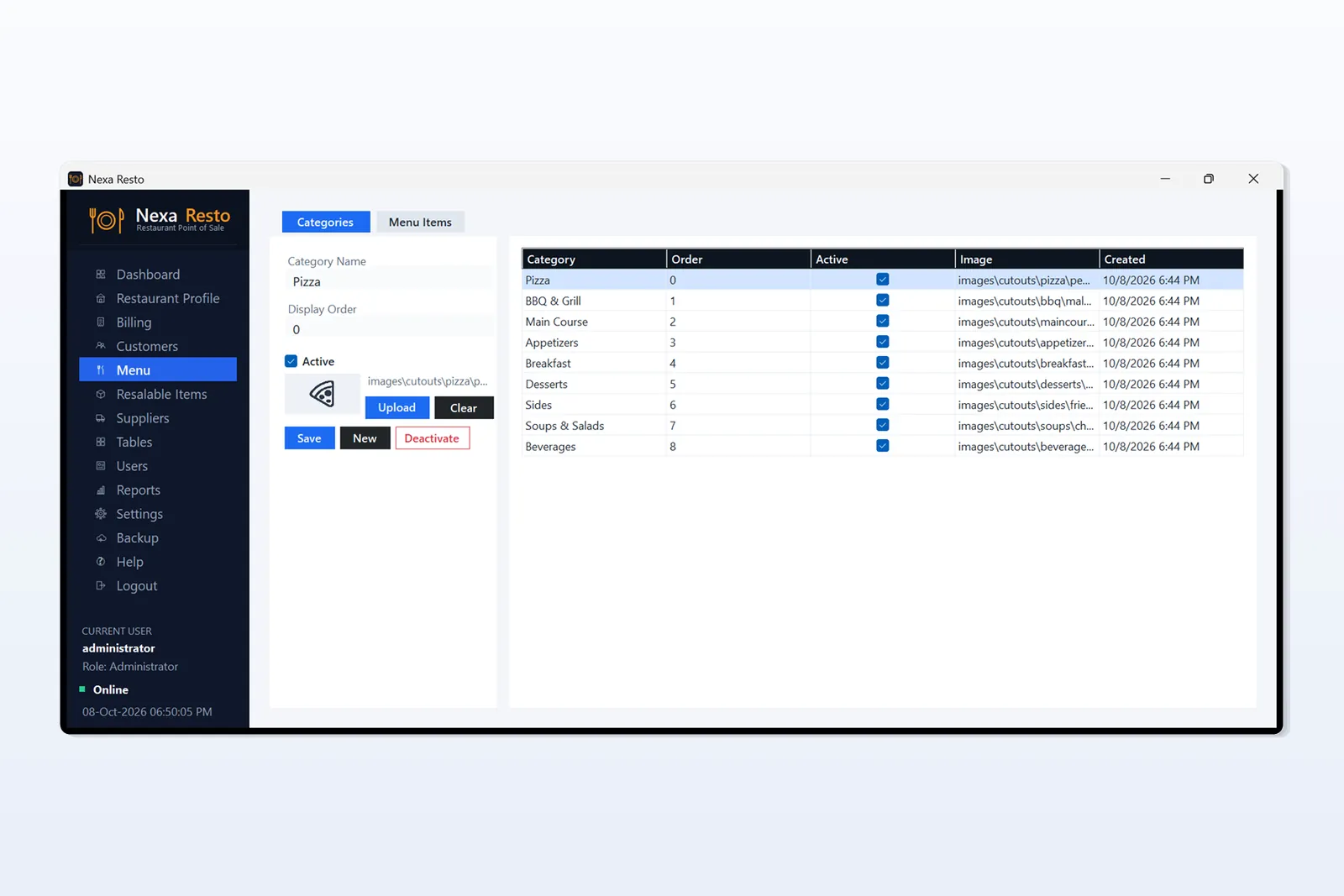
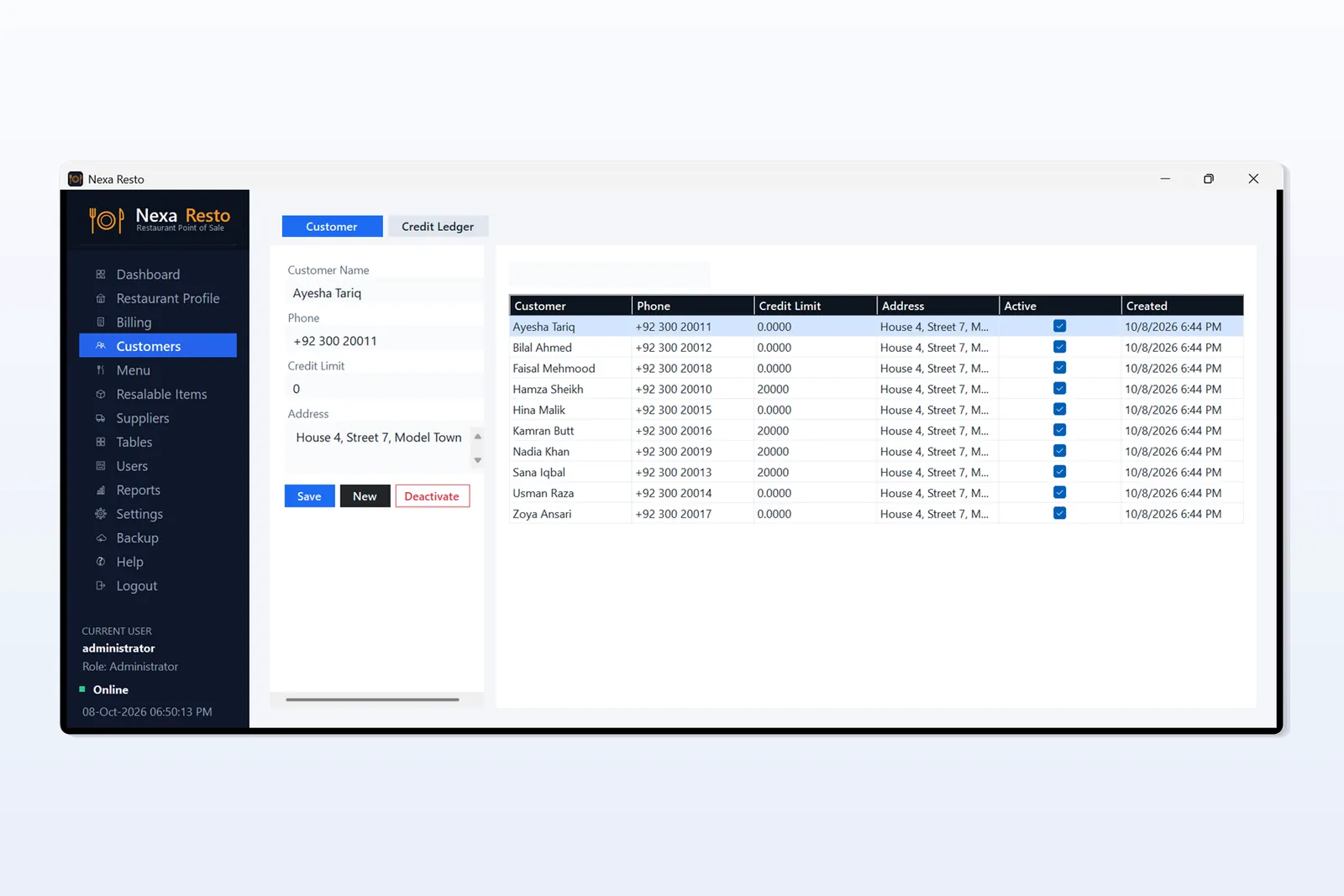
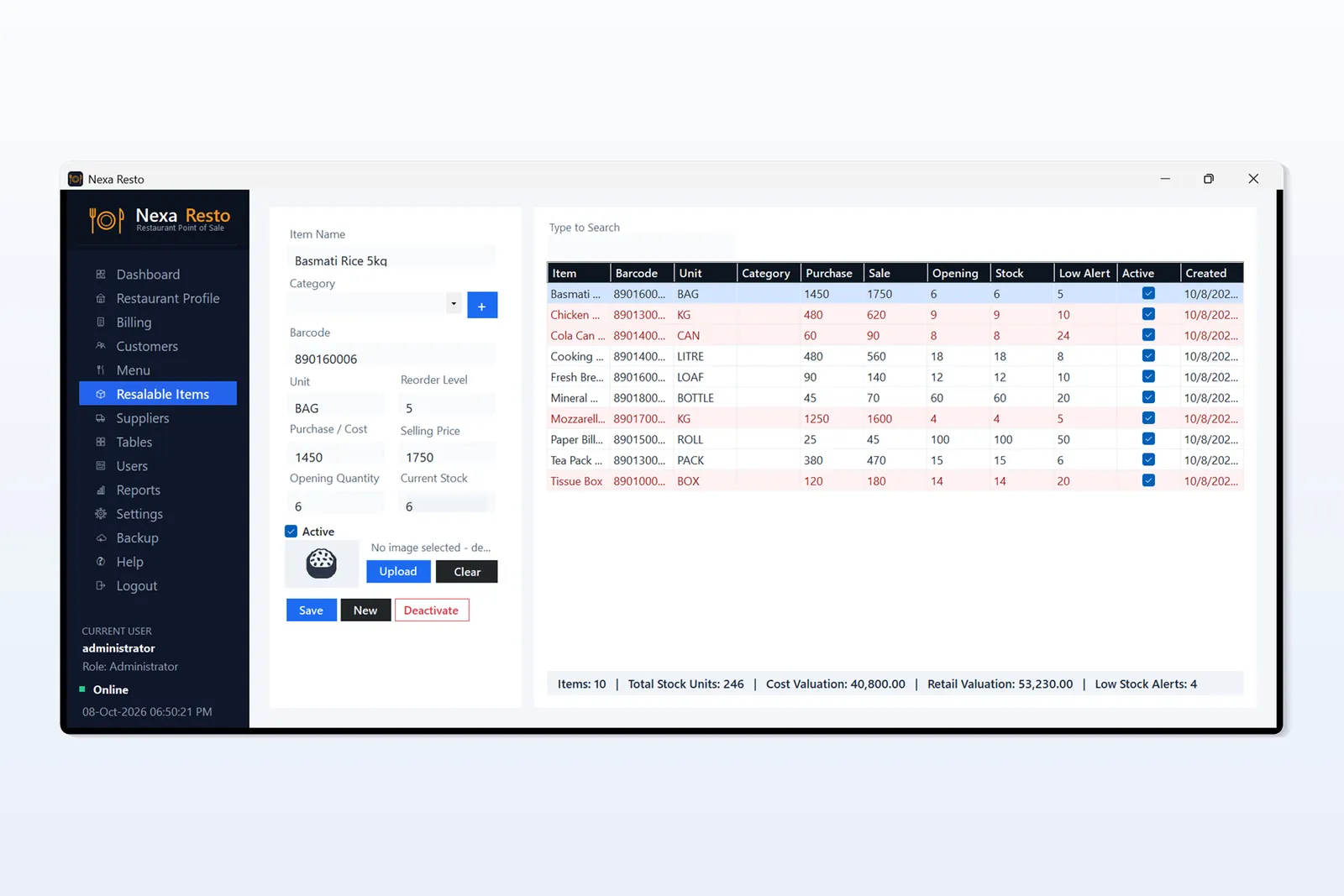
- Customers, menu, stock with low-stock alerts, suppliers, tables
- Multi-user with roles; backup and restore
- For desktop PC, laptop or Windows tablet (Windows 10 / 11), not for mobile
- One-time payment, no monthly fee
Description
Restaurant POS Software for Windows
A modern restaurant point of sale for restaurants, cafés, fast food outlets and takeaways. Billing, kitchen tokens, customer credit, stock and reports are all in one Windows application, with a visual menu that makes billing quick during rush hours.
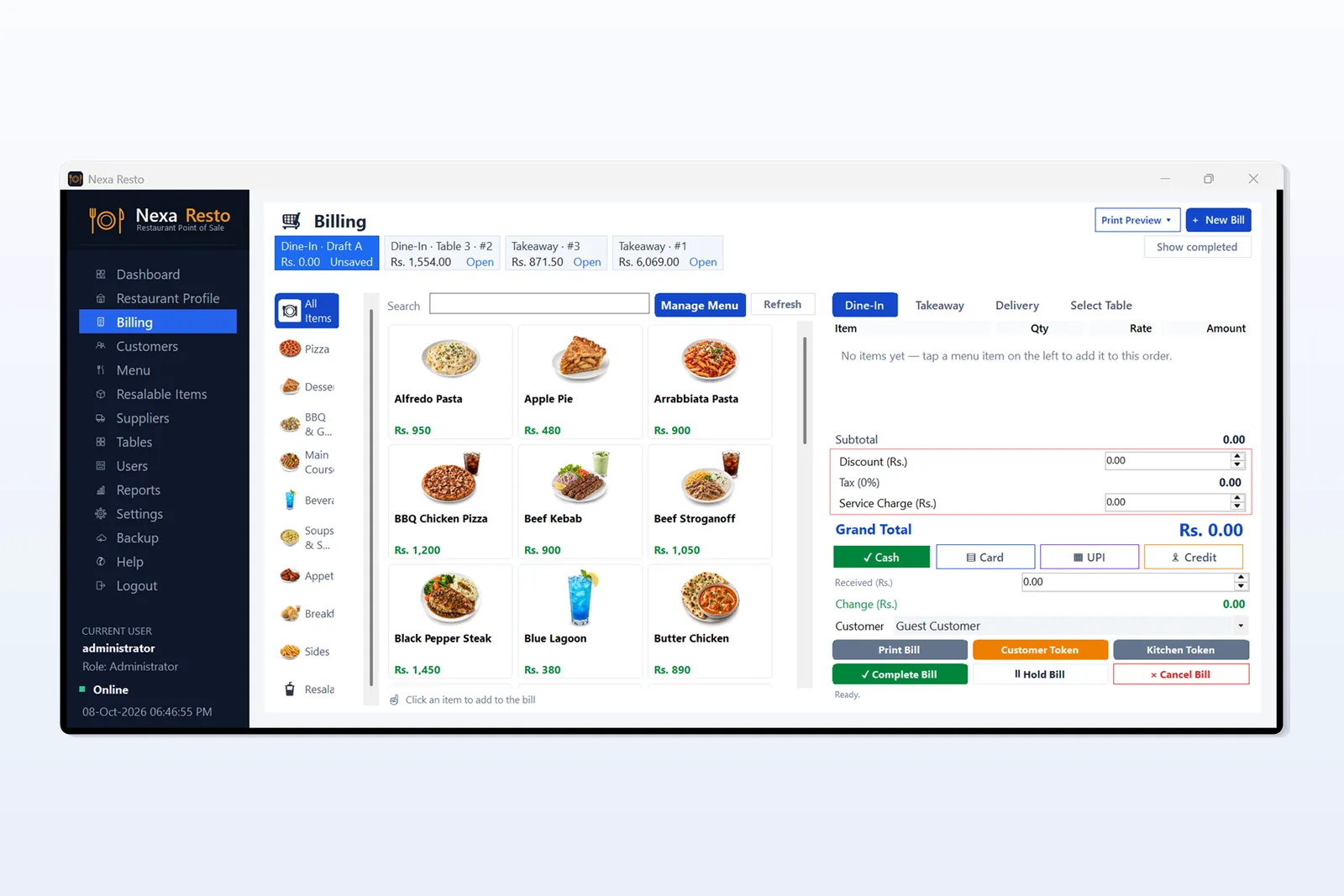
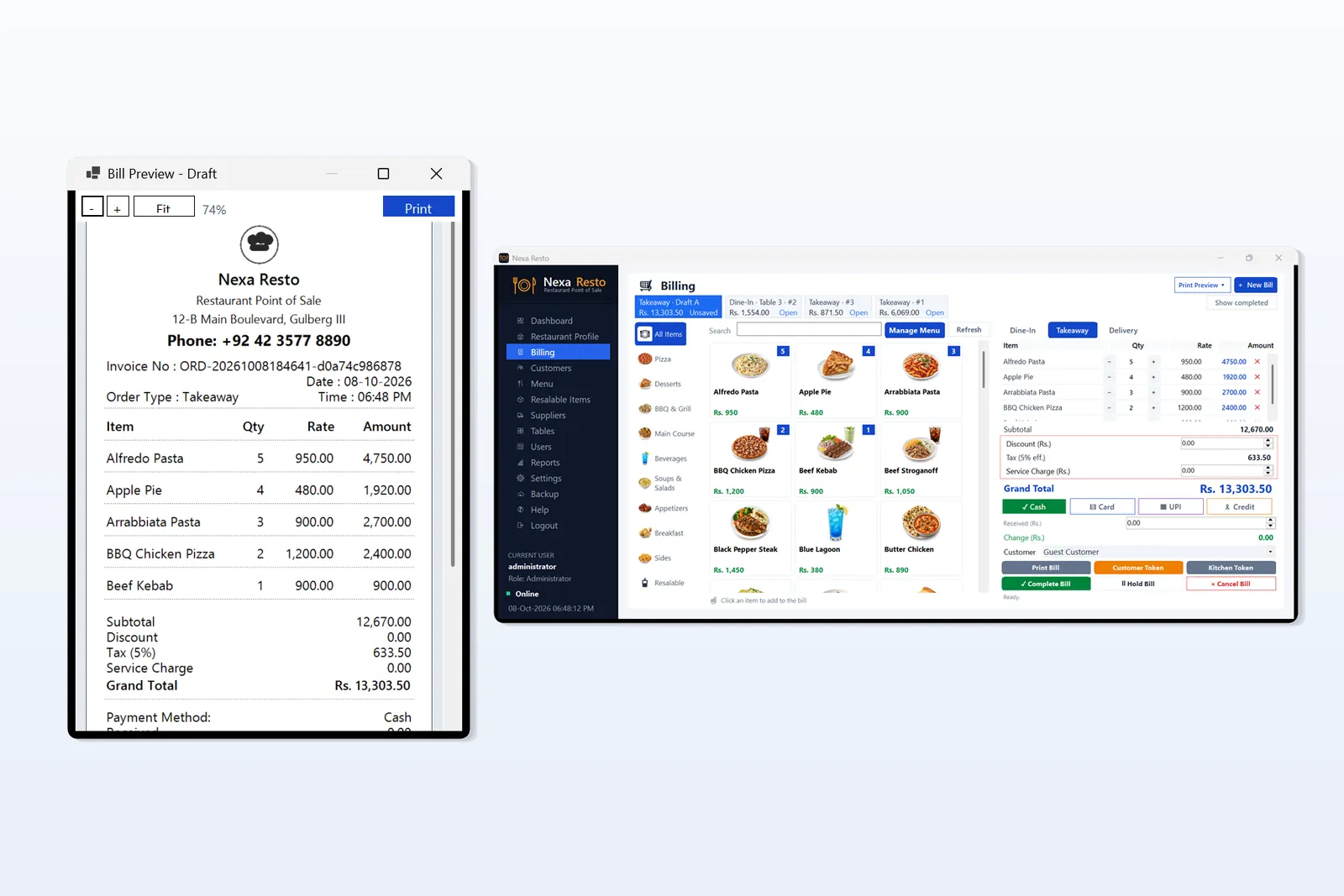
Fast billing from a visual menu
- Three order types: Dine-In, Takeaway and Delivery
- Menu shown as picture cards with category filters and search
- Quantities, discount, tax and service charge (percentage or flat)
- Cash, Card and Credit payments with received amount and change
- Hold Bill, Complete Bill and Cancel Bill, with several open bills at once
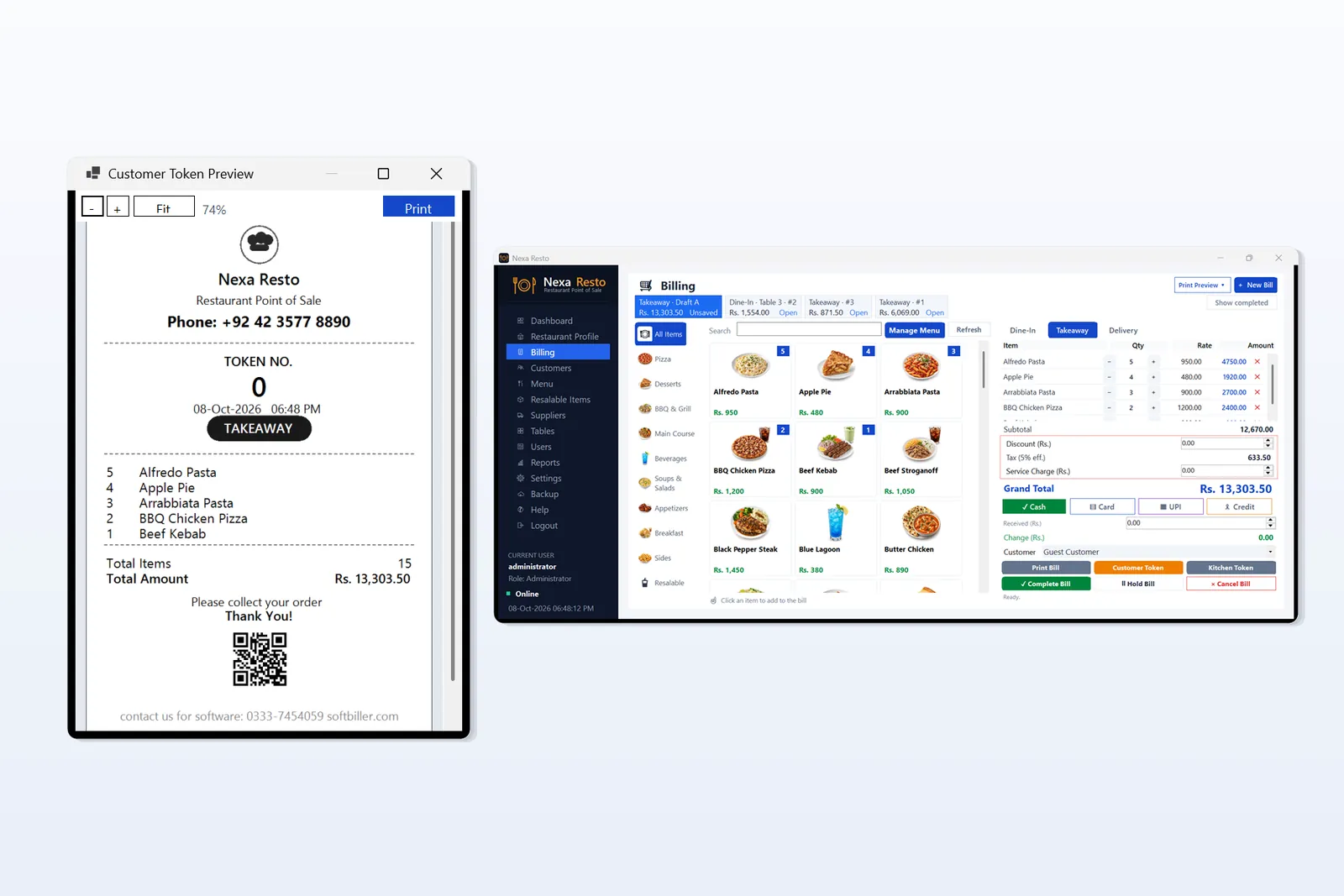
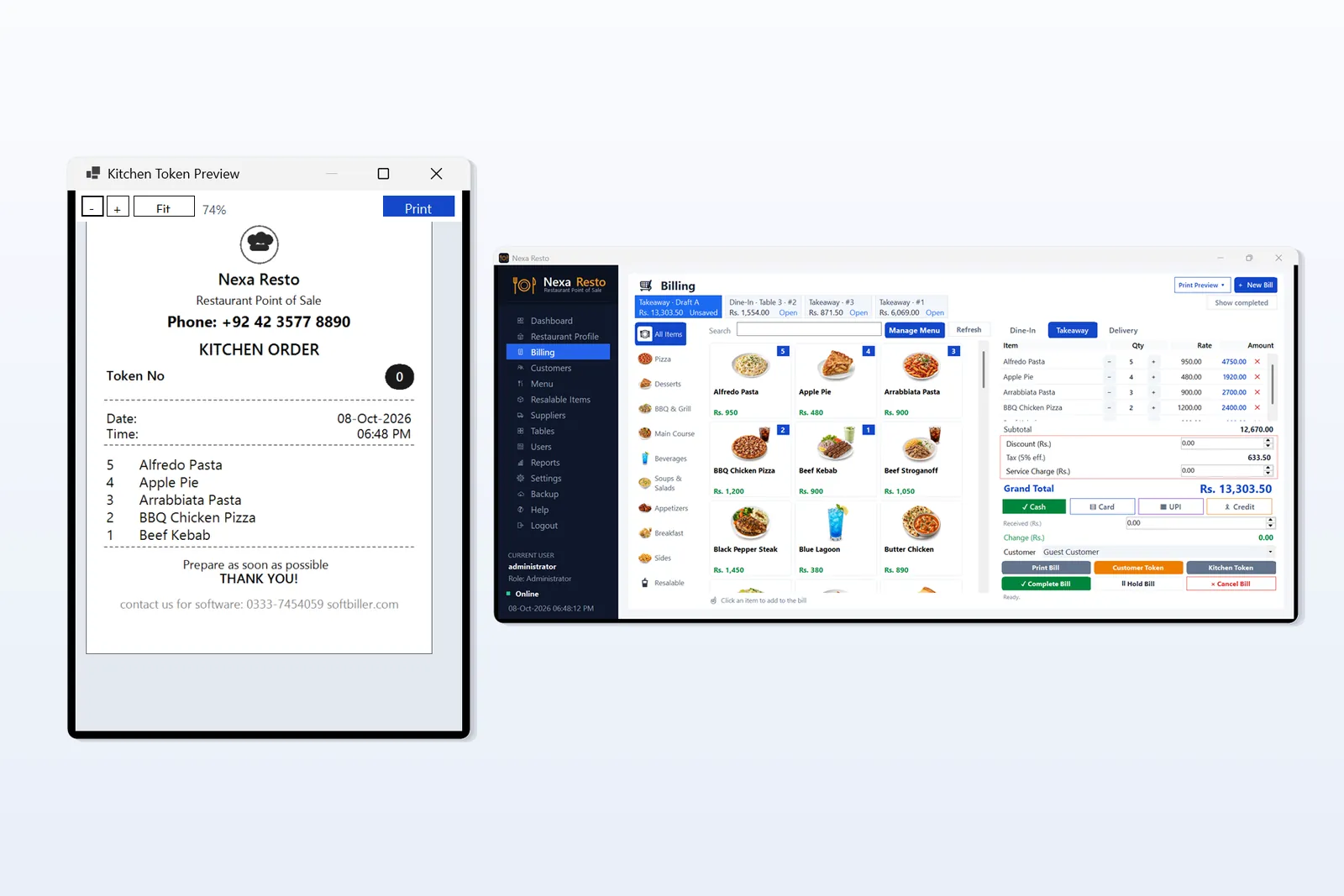
Customer bill, customer token and kitchen token
- Customer bill with items, totals and payment details
- Customer token with token number for collection
- Kitchen token as a separate order slip for the kitchen
- Print preview before printing
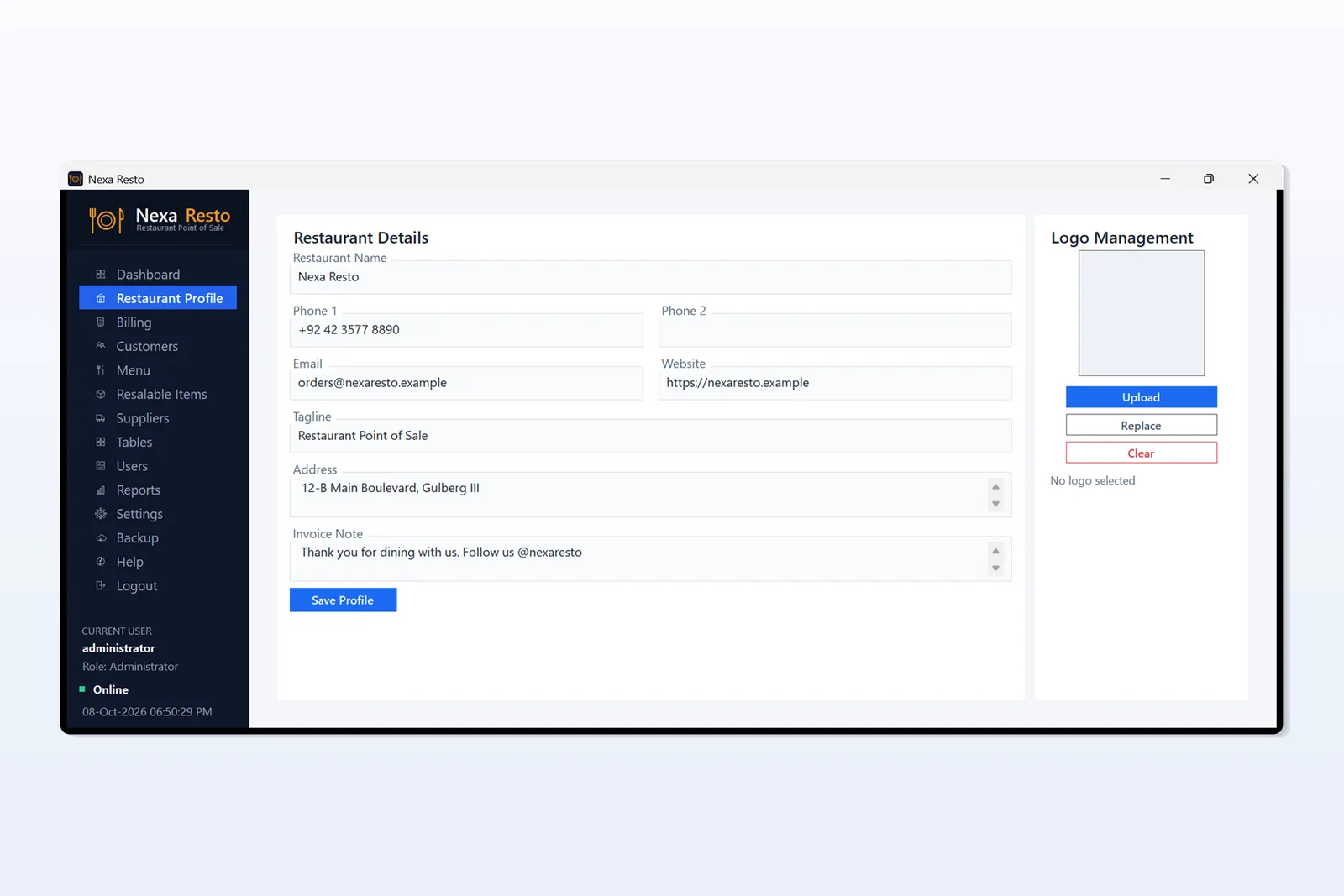
- Your restaurant name, address and phone printed on bills
Dashboard and reports
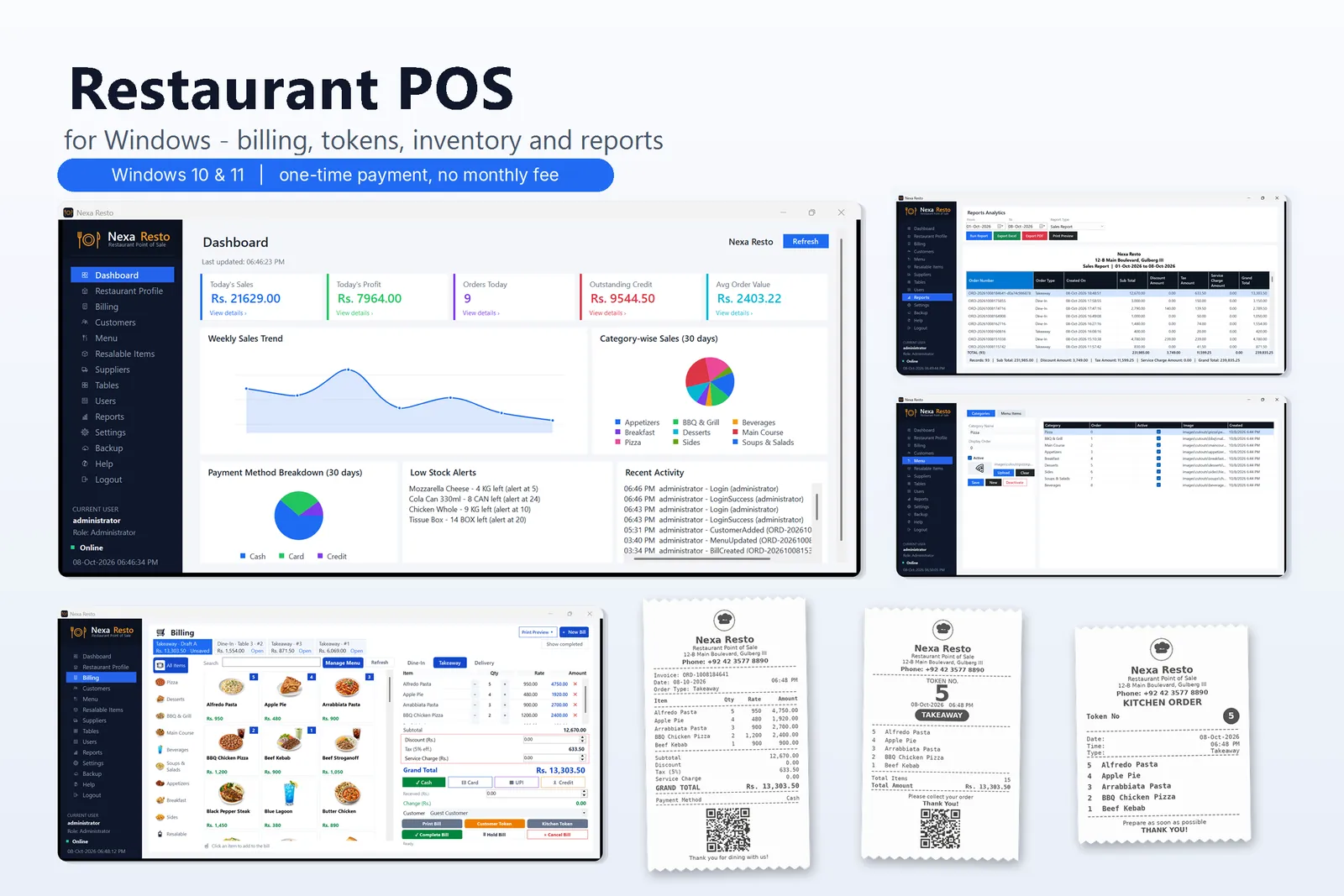
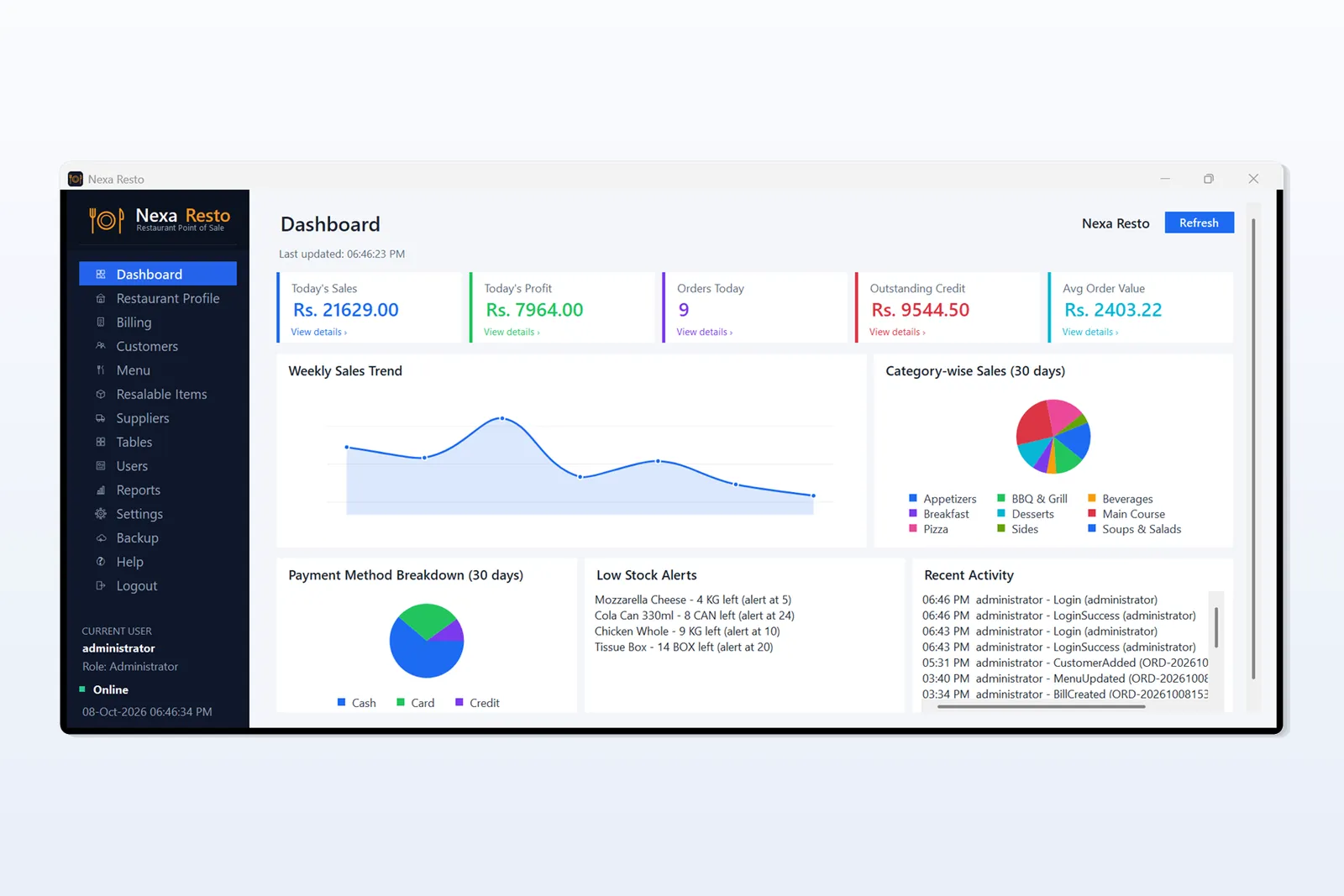
- Today’s sales, profit, number of orders and average order value
- Weekly sales trend, category-wise sales and payment breakdown
- Outstanding credit, low-stock alerts and recent activity
- Date-wise reports with Excel and PDF export
Back office
- Menu management: categories and menu items with pictures
- Customers: customer records and outstanding balances
- Resalable items: barcode, purchase and sale price, stock and low-stock alerts
- Suppliers and tables
- Users and roles: separate staff logins and access
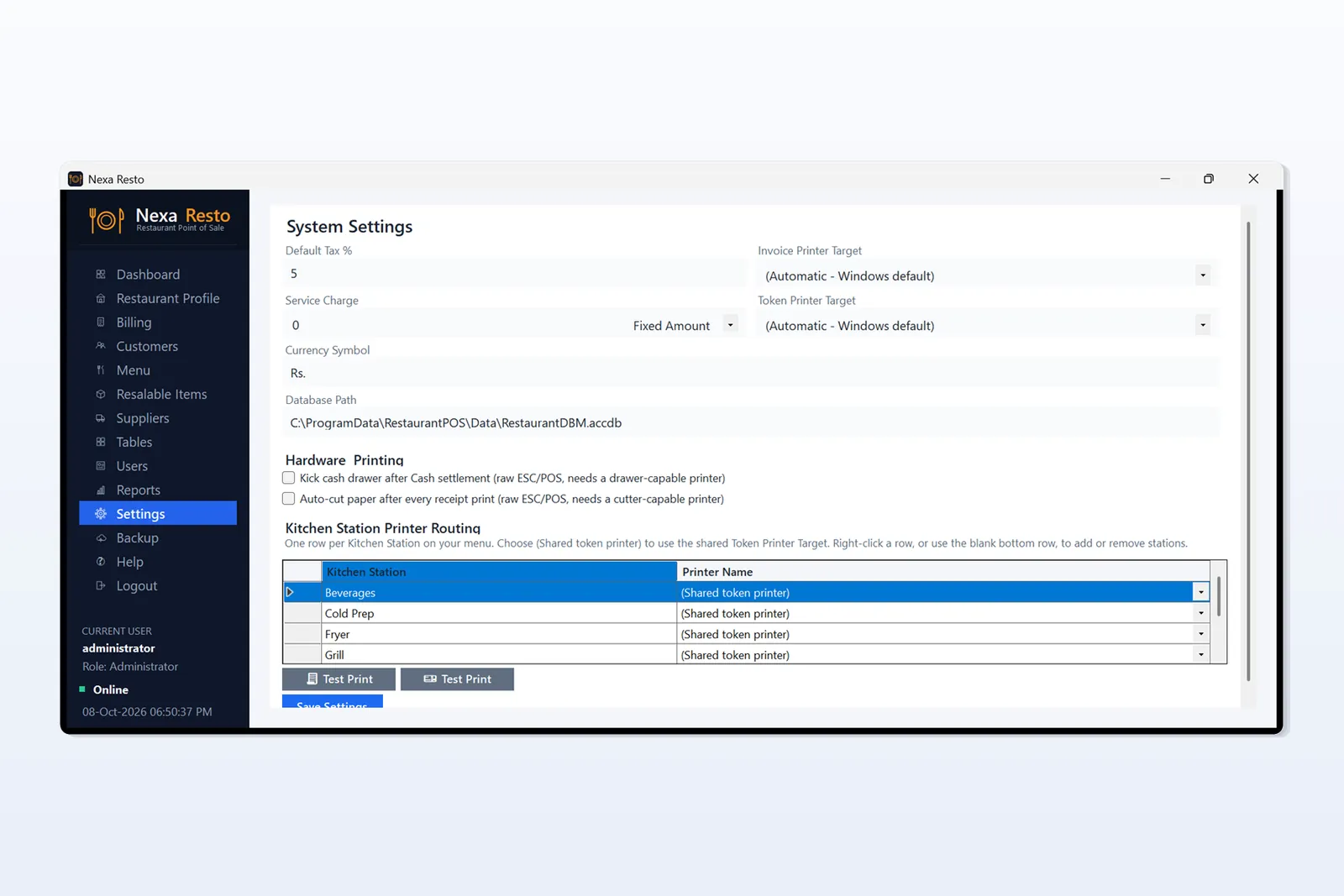
- Settings: currency (Rs), tax and service charge
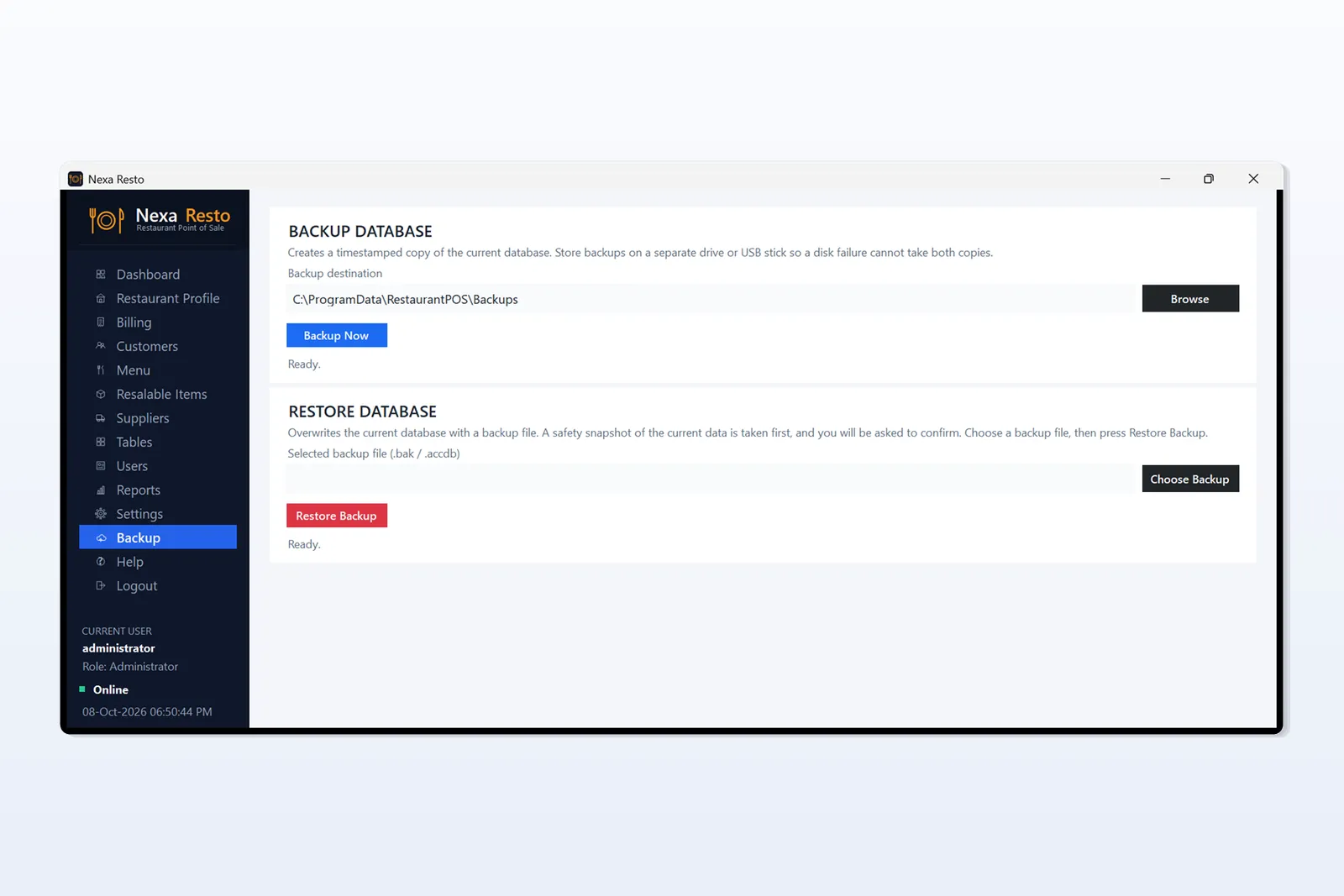
- Backup and restore
System requirements
- Windows 10 or Windows 11
- Install on a desktop PC, laptop or Windows tablet
- Not available for mobile phones, Android tablets or iPad
- Works offline after installation, with data saved on your own computer
- English interface
Screenshots show demo data.
Price
Rs 4,000, one-time payment, no monthly fee.
Questions or a live demo? Message us on WhatsApp at 0333-7454059. Also read our guide: Restaurant POS Software for Windows: features and screenshots.
Related products
- Sale!
- Billing Software
Everest Flat Screen Billing & Stock Management Software
- Original price was: ₨ 8,000.₨ 4,000Current price is: ₨ 4,000.
- Add to cart
- Sale!
- Billing Software
Software for Medicine Distribution
- Original price was: ₨ 9,000.₨ 4,500Current price is: ₨ 4,500.
- Add to cart
- Sale!
- Billing Software
POS Barcode Billing Software
- Original price was: ₨ 3,100.₨ 2,500Current price is: ₨ 2,500.
- Add to cart