Many wholesalers and distributors in Pakistan start with Excel. It is familiar, it costs nothing extra, and for a small business it works. But as the number of customers, salesmen and products grows, Excel sheets become hard to trust: formulas break, files get copied and changed, and nobody is sure which version is correct.
This guide compares Excel with dedicated wholesale billing software, so you can decide when it is time to switch.

Where Excel works well
- Small product lists and a handful of regular customers
- One person keeping the records
- Simple price lists and one-off calculations
If this describes your business, Excel can be enough for now.
Where Excel starts to fail
1. Invoices and stock are not connected
In Excel, making an invoice does not reduce stock on its own. Someone has to update the stock sheet separately, and when that is missed, stock figures become wrong. In billing software, every invoice and purchase updates stock automatically.

2. Cartons and pieces
Wholesale is sold in both cartons and loose pieces. Keeping both in Excel means extra columns and manual conversions on every line. Wholesale software can sell in cartons and pieces on the same invoice and show stock both ways.

3. Customer ledgers and outstanding
Credit is the backbone of distribution. In Excel, every customer’s balance depends on someone entering every invoice and every payment in the right sheet. Software keeps the ledgers automatically and can show outstanding by area, by salesman and by company, along with bill aging and recovery reports.


4. Salesmen and credit limits
When several salesmen book orders, you need to know how much each one has sold, what is outstanding against them, and whether a credit limit is being crossed. This is very hard to control in Excel.
5. GST records
If you issue GST and non-GST invoices, keeping tax amounts separate in Excel is error-prone. Software can record GST on each invoice and show it separately in ledgers and outstanding reports.
6. Profit you can trust
Calculating real profit in Excel means matching purchase costs to every sale. Software can give a profit report and even profit by invoice in one click.

7. Several users, one set of data
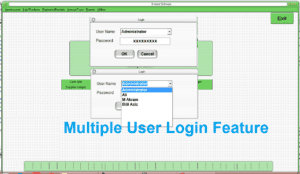
Excel files get emailed, copied and edited by different people. Software lets several users work on the same data, each with their own login and permissions.
Quick comparison
| Task | Excel | Wholesale billing software |
|---|---|---|
| Stock update after a sale | Manual | Automatic |
| Cartons and pieces | Extra columns and formulas | Built in |
| Customer ledgers | Kept by hand | Automatic |
| Outstanding by area or salesman | Difficult | Ready reports |
| GST and non-GST invoices | Manual tracking | Recorded on each invoice |
| Profit report | Complex formulas | One click |
| Multiple users | Risk of conflicting copies | Logins with privileges |
SoftBiller Distribution & Wholesale Software
SoftBiller’s Distribution & Wholesale Software (Alpha Flat Screen) is built for distribution, wholesale and retail businesses. Based on its product features, it includes:
- Bill printing on A4, A5 and thermal paper, plus quotation printing
- Carton and piece sale on the invoice, and stock reports in cartons and pieces
- Cash and credit sale, with GST and non-GST invoice options and a complete GST record
- Outstanding, bill aging and recovery reports by area, salesman and company
- Salesman credit limits, and salesman tour and daily expense records
- Auto and manual purchase orders, and a low stock report
- Stock reports (date-wise, company-wise and consolidated) and SSR (sale and stock report)
- Profit report and profit by invoice
- Debit notes, credit notes, discounts, trade offers and bonus options
- Automatic customer, supplier and staff ledgers, with a full double-entry accounting system
- Multiple users with privilege settings
- Lifetime licence with no monthly fee

When to switch
If you have more than one salesman, sell in cartons and pieces, give goods on credit to many shops, or spend time every week fixing Excel sheets, it is time to move to wholesale billing software.
Want to see it in action? Visit the Distribution & Wholesale Software page for screenshots and the overview video, or message us on WhatsApp at 0333-7454059.